1
Getting Started
Chapters
1–3
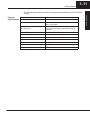
The main contents of this manual are organized into the following six chapters:
Getting Started
Designing Your Remote
I/O System
shows you how to design your system by using worksheets
to keep track of system parameters and the address and
range assignments for remote I/O, needed for programming
and hardware setup. It also gives you guidelines for
calculating a “power budget” to make sure your system does
not draw more than the allowable base current.
3
Installation and
Communication Wiring
Guidelines
shows you how to install your modules. This chapter
includes wiring information, shows you how to set the rotary
dials and DIP switch on each module, how to daisy chain the
remote units, and how to size and use termination resistors.
4
D2–RMSM Setup
Programming
5
DL250/DL350 Setup
Programming
shows you how to use DirectSoft to write the setup program
when using the DL250 or DL350 CPU bottom port as a
remote master. The examples take the information from your
worksheets and help you write a working setup program.
6
Diagnostics and
Troubleshooting
shows you how to interpret the status lights on the modules,
use certain internal relays to monitor communications status,
and monitor diagnostics information.
2
Appendices
shows you how to use DirectSoft to write the remote I/O
setup program when using the D2–RMSM. This chapter
takes the information developed from your worksheets and
helps you write a working setup program.
Additional reference information on remote I/O is in the following three appendices:
A
Remote I/O Worksheets
B
C
Reserved Memory
Tables
Determining I/O Update
Time
included are blank worksheets that you can copy and use to
design your system.
shows the reserved memory locations for the transfer of
remote I/O data. It is cross referenced by data type.
shows you how to calculate the amount of delay inherent
with the transfer of data back and forth between the master
and its remote slaves. Provides tables for all baud rates,
based on the protocol selected and number of I/O points
used.
Getting Started
1
introduces the basic components of the remote I/O system,
an explanation of who needs such a system, and an
overview of the steps necessary to develop a working
system.