1
1.
INTRODUCTION
It is recommended that you first read the Quick Setup Guide. This shows you how to set up your camera using
Peer to Peer (P2P). This setup method is extremely fast and easy, and will get you set up in a matter of
minutes. You can then refer to this Owner’s Manual for more advanced features.
IMPORTANT NOTICE
The various screens throughout this owner’s manual will look different depending on the browser you use. Full
functionality is available when using Internet Explorer (IE) with ActiveX (OCX) installed. Limited functionality is
available with other browsers, such as Safari, Chrome, and Firefox.
Please Read this manual carefully, according to the browser you are using.
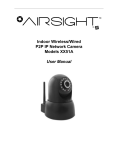
This is an integrated wireless IP Camera solution. It combines a high quality digital Video Camera with network
connectivity and a powerful web server to bring clear pictures to your Desktop from anywhere on your local
network or over the Internet.
The main function of the camera is to transmit remote video over IP network. The high quality video image can
be transmitted with 30fps speed on the LAN/WAN by using MJPEG hardware compression technology. It is
based on the TCP/IP standard, build-in WEB server which supports Internet Explorer. Therefore the
management and maintenance of your camera becomes simple by using the network to achieve the remote
configuration, start-up and to upgrade firmware.
You can use your IP Camera to monitor your home or your office. Also, controlling and managing images are
simple by visiting the web site.
3