1
May07-18
4/24/2007
3.2.3.1.2.4
Batch Simulate Button Callback Function...................................................................... 26
3.2.3.1.2.5
Open Button Callback Function ..................................................................................... 27
3.2.3.1.2.6
Save Button Callback Function ...................................................................................... 28
3.2.3.1.2.7
Undo/Redo Button Callback Functions .......................................................................... 29
3.2.3.1.2.8
Zoom In, Zoom Out, and Pan Button Callback Functions.............................................. 29
3.2.3.2
3.2.4
User Manual
GUI Setting File......................................................................................................................... 30
Batch Simulation Window..................................................................................................... 30
3.3
SIMULATION SCRIPTS ................................................................................................................. 30
3.4
SIMULINK MODEL ...................................................................................................................... 31
4
PROGRAM MAINTENANCE ................................................................................................... 32
4.1
ADDING MODELS TO LIBRARY ................................................................................................... 32
4.1.1
Compatible Simulink Models................................................................................................ 32
4.1.2
Compatible Simulation Scripts ............................................................................................. 32
4.1.3
Creating GUI Setting File .................................................................................................... 33
4.1.4
Editing Main Window Setting File........................................................................................ 33
4.1.5
Example: Creation and Addition of Classical Machine vs. Infinite Bus............................... 34
4.1.5.1
Preparation ................................................................................................................................. 34
4.1.5.2
Creation of Simulink Model....................................................................................................... 36
4.1.5.3
Creation of Simulation Script..................................................................................................... 43
4.1.5.4
Creation of GUI Setting File ...................................................................................................... 50
4.1.5.5
Modification of Main Window Setting File ............................................................................... 56
4.1.5.6
Final Simulation Script Modifications ....................................................................................... 57
4.2
TESTING LIBRARY ADDITIONS ................................................................................................... 60
4.3
TROUBLESHOOTING LIBRARY ADDITIONS.................................................................................. 60
4.3.1
Errors in Main Window Setting File..................................................................................... 61
4.3.2
Errors in GUI Setting File.................................................................................................... 61
4.3.3
Errors in Simulation Script................................................................................................... 62
4.3.4
Errors in Simulink Block Diagram ....................................................................................... 62
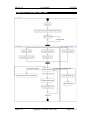
APPENDIX A DETAILED FLOW CHART...................................................................................... 63
APPENDIX B SAMPLE TEST DATA ............................................................................................... 64
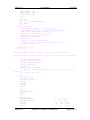
APPENDIX C SAMPLE GUI SETTING FILE................................................................................. 65
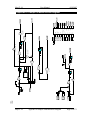
APPENDIX D SAMPLE SIMULINK BLOCK DIAGRAM............................................................. 68
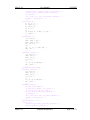
APPENDIX E SAMPLE SIMULATION SCRIPT............................................................................ 69
May07-18
Introduction
Page 2 of 5