1
WT-1010C2 USER MANUAL
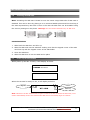
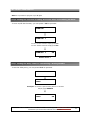
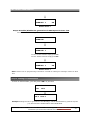
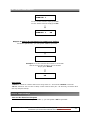
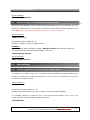
Simply input 11111#
PST: ME: 1 OU: 1
CA: 1
CA2: 1
AL: 1
OK
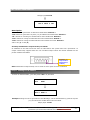
Description:
“ME” stands for generation of SMS when PSTN failed. Default: 0
“OU” stands for generation of pulse (+V) at PIN15 when PSTN failed. Default: 0
“AL” stands for sounding the audible alarm when PSTN failed. Default: 0
“CA1” stands for calling the administrators when PSTN failed. Default: 0
“CA2” stands for calling the administrators when PSTN connected. Default: 0
Value: ON (1) or OFF (0)
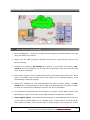
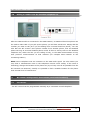
Auxiliary PSTN Failure Output Facility via PIN15
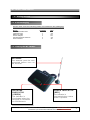
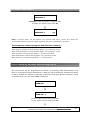
In additional to the alarm and text alert on PSTN failure the system also has a permanent +V
output continuously supplied from the unit via PIN15 output which will remain available for the
period of PSTN unavailable.
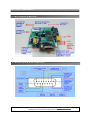
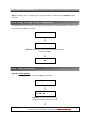
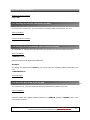
Auxiliary +V
Output when
PSTN Failure
(PIN15)
Note: PSTN Failure Output facility can be used on alarm panel for alert notification
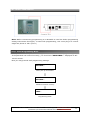
Step 11. Setting for AC Failure
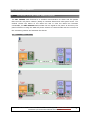
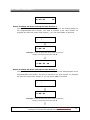
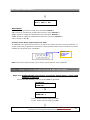
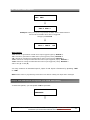
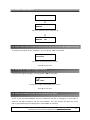
To turn on this function, you can press *31* to proceed.
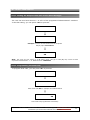
ADC: ME:
CA1:
AL:
CA2:
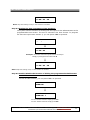
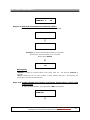
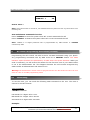
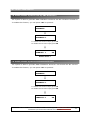
ADC: ME: 1 AL: 1
CA1: 1
CA2: 1
Example: Setting the unit to generate an Alert Message, call the administrators, generate a pulse
(+V) and sound the audible alarm when AC failed.
Simply input 1111#
WT-1010C2 – USER MANUAL – Rev.3.5 – Technical Support: Technical@witura.com
COPYRIGHT ©2010 WITURA CORPORATION SDN BHD
21