1
About this Document
sinaCAM
Content
1.
About this Document .................................................................................................................................... 6
2.
Safety Instructions......................................................................................................................................... 7
2.1 Warning Signs and Indications .......................................................................................................... 7
2.2 General Safety ..................................................................................................................................... 7
2.3 Specific Safety ..................................................................................................................................... 7
3.
Regulatory Compliance ................................................................................................................................. 8
4.
Disposal .......................................................................................................................................................... 8
5.
Introduction to sinaCAM ............................................................................................................................... 9
6.
Description ..................................................................................................................................................... 9
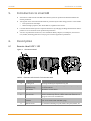
6.1 Remote Head HDC1-100..................................................................................................................... 9
6.2 Base Unit HDC1-200 ......................................................................................................................... 10
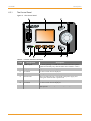
6.2.1 The Control Panel ............................................................................................................... 11
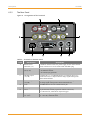
6.2.2 The Rear Panel .................................................................................................................... 12
7.
Installation ................................................................................................................................................... 13
7.1 Minimum System Requirements ..................................................................................................... 13
7.2 Power Supply .................................................................................................................................... 13
7.3 Remote Camera Head Connection .................................................................................................. 13
7.4 Calculation of Maximum Cable Length ........................................................................................... 14
7.5 Connecting the Hardware ................................................................................................................ 14
7.6 Connecting AUX Devices................................................................................................................... 15
7.6.1 Pin Assignment of the 10-Pin AUX Terminal..................................................................... 15
7.6.2 UART Interface .................................................................................................................... 16
7.6.3 Timecode Interface ............................................................................................................. 16
7.6.4 Exposure Trigger Interface................................................................................................. 17
7.7 sinaCAM as Part of a GenLock Chain .............................................................................................. 18
7.8 Connection Examples ....................................................................................................................... 19
7.9 Installing Lenses ............................................................................................................................... 20
7.10 Adjusting the Lens Scale Position .................................................................................................... 20
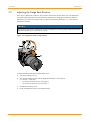
7.11 Adjusting the Flange Back Distance................................................................................................. 21
8.
Operation ..................................................................................................................................................... 22
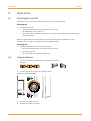
8.1 Switching ON and OFF ...................................................................................................................... 22
8.2 Using the Menus ............................................................................................................................... 22
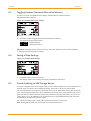
8.3 Toggling between Standard/Alternative Memory .......................................................................... 23
8.4 Saving of New Settings ..................................................................................................................... 23
8.5 Frame Grabbing to USB Storage Device.......................................................................................... 23
9.
The Menus.................................................................................................................................................... 24
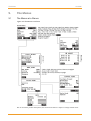
9.1 The Menus at a Glance ..................................................................................................................... 24
9.2 HOME Menu ...................................................................................................................................... 25
9.2.1 FPS (Frames Per Second) .................................................................................................... 25
9.2.2 Shutter ................................................................................................................................. 26
9.2.3 Gain (Exposure Control) ..................................................................................................... 27
9.2.4 WBalance (White Balance) ................................................................................................. 27
9.2.5 Gamma & CM (Color Management) .................................................................................. 29
9.3 LEVEL Menu ....................................................................................................................................... 30
9.3.1 White Level .......................................................................................................................... 30
9.3.2 Black Level ........................................................................................................................... 30
9.3.3 BBalance Red (Black Balance Red) .................................................................................... 30
2
Rev.: D
User Manual