1
Let’s Get Started
These instructions will guide you through the process of replacing your FrontierTV receiver with a new receiver.
Approximate installation time: 15 minutes
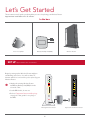
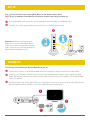
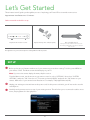
Gather materials needed for set up:
Replacement Frontier receiver
Replacement power cord (two parts)
Not included: wrench
You may also need a 7/16-inch wrench to loosen
the existing coaxial cable connection on the back
of the receiver.
The appearance of your receiver and power cord may differ from above pictures.
SET UP
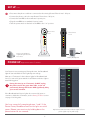
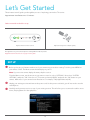
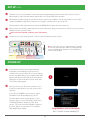
efore you begin, you’ll want to make note of your current screen resolution setting. To do this, press MENU on
A Byour
remote control. The Menu screen should display on your TV.
Note: If your receiver cannot display the menu, skip this section.
From the Menu screen, use the arrows on your remote control to select “OPTIONS,” then select “SYSTEM
OPTIONS,” and press “OK.” Now choose “TV screen resolution (HD/SD)” and press the “OK” button on your
remote. Make note of your current Screen Resolution. For example, 720p High Definition (HD).
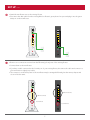
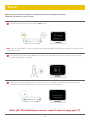
nplug your existing receiver and remove the power cord. Set this power cord aside, you will not need to use this
B Ucord
anymore.
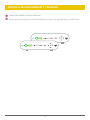
stack your new receiver on top of your existing receiver. This will allow you to reconnect the cables one at
C Ca arefully
time, keeping them all in the right place.
21