1
Amarra 2.4 User Manual
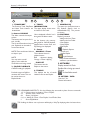
PRESETS
EQ (On/Off)
This turns on Amarra EQ, or
when unlit indicates the EQ is not
being used.
PARAMETRIC 1
PARAMETRIC 2
PARAMETRIC 3
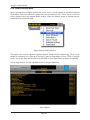
Amarra comes with a set of EQ settings that are modelled on the iTunes presets. In addition there are 3
Room Node settings for common bass adjustment processing.
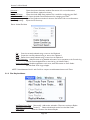
NOTE: The Desk menu items allows you to save and recall your EQ settings.
Set up an EQ, go to the Desk menu and select Save Sonic EQ Set Up.
NOTE: If the “Link iTunes EQ” preferences is checked then Amarra will use the EQ Preset
defined in iTunes to set the EQ for a Track.
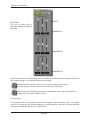
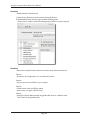
Parametric EQ :
The parametric filter has parameters for Resonant Frequency, Gain and Quality Factor. The Quality
Factor, or Q, is defined as the resonant frequency, or center frequency in the case of a symmetrical filter,
divided by the bandwidth. The filter is a 1st Order filter.
Page #19