1
i-cubed
DataDoors Web User Guide
Contents
Introduction ........................................................................................................................................................................................4
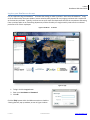
Section 2. Welcome to DataDoorsTM for ArcGIS .................................................................................................................................4
Instructions / Help ............................................................................................................................................................................4
User Manual .....................................................................................................................................................................................4
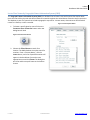
Sign Up .............................................................................................................................................................................................5
Forgot Password...............................................................................................................................................................................5
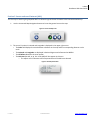
Log in to your DataDoorsTM Account ................................................................................................................................................6
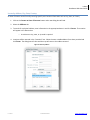
Section 3. Locate an Area of Interest (AOI) ........................................................................................................................................7
Locate Place Names by Geographic Names Information System (GNIS) .........................................................................................8
Locate by Address, City, State, Country ...........................................................................................................................................9
Locate by Intersection ....................................................................................................................................................................10
Locate by Coordinates ....................................................................................................................................................................11
Locate by QUAD name ...................................................................................................................................................................12
Locating by Public Land Survey System..........................................................................................................................................13
Locate by using Map Navigation Buttons ......................................................................................................................................14
Section 4. Define your AOI ................................................................................................................................................................15
Draw Rectangle AOI .......................................................................................................................................................................15
Draw Polygon AOI ..........................................................................................................................................................................16
Open Additional AOI Options .........................................................................................................................................................17
Zoom To Your AOI ..........................................................................................................................................................................19
Reset Your AOI ...............................................................................................................................................................................19
Section 5. Product Selection .............................................................................................................................................................20
Search for Footprints .....................................................................................................................................................................20
Section 6. My Order ..........................................................................................................................................................................24
Section 7. Check Out .........................................................................................................................................................................26
Proceed ..........................................................................................................................................................................................26
Selection Name ..............................................................................................................................................................................26
Check Out Information / Billing Information .................................................................................................................................27
Media Selection..............................................................................................................................................................................28
Taxes...............................................................................................................................................................................................29
Credit Card Information .................................................................................................................................................................29
Selection Summary.........................................................................................................................................................................30
i-cubed
1-800-4SATDAT
www.datadoors.net