1
Operation
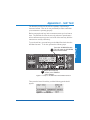
Overview : INPUT Keys
INPUT Keys
& For more
information on the
INPUT keys, see page
4-16.
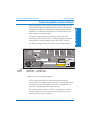
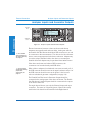
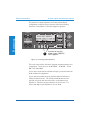
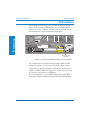
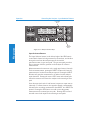
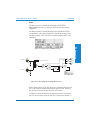
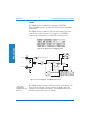
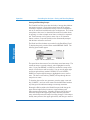
The INPUT keys select which channel (A or B) will be measured, and
whether the input from that channel comes from the external
connectors or from an internal path directly from the generator.
OUTPUT Keys
4 Operation
& For more
information on the
OUTPUT keys, see the
section on Generator
Controls, page 4-12.
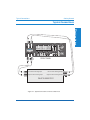
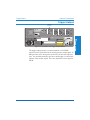
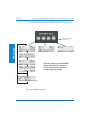
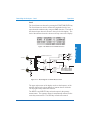
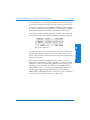
The OUTPUT keys are used to turn each generator channel On and
Off.
FREQUENCY Controls
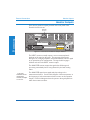
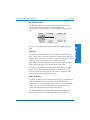
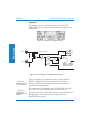
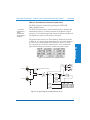
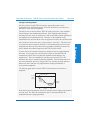
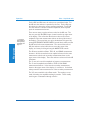
The FREQUENCY controls allow control of frequency-based
parameters. Exactly which parameter is controlled by the
FREQUENCY controls depends on which panel is displayed, and what
parameters are selected.
For example, in the Main panel, the FREQUENCY controls adjust the
frequency of the generator. In the Sweep panel, the FREQUENCY
controls adjust the start and stop frequencies of the sweep.
The x10 and ÷10 keys will cause the selected frequency parameter to
increase or decrease by a factor of 10.
& For more
information on
the Setup panel,
see
page 4-8.
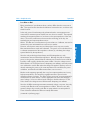
The INC and DEC keys will increment or decrement the frequency
parameter by a certain step size. The user can program the step size,
choosing either a specific linear step size or choosing ‘ISO’, which will
step among the ISO-standard 1/3 octave values. This setting is made
on the Setup panel. Pressing the top right Soft key in this panel will
select between ISO and a specific value. When a specific value is
selected, the frequency controls can be used to adjust the step value.
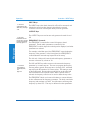
The FREQUENCY knob can be turned clockwise or counterclockwise
for fine adjustment of the frequency parameter. The knob controls the
frequency with resolution of 0.04%. One full rotation will change the
frequency by about 15%. This may be different for other parameters.
4-6
Portable One Plus Access User's Manual