1
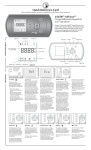
Setting filter or purge
cycle start time
Setting filter cycle
duration
Setting filter or purge
cycle frequency
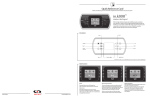
The display will show FSxx,
“xx” representing the starting
hour of the cycle. Use the Up
or Down key to adjust
the hours. Use the Light
key to jump to the next
parameter, filter duration (Fd).
(not available on purge
systems)
The display will show FFxx,
“xx” representing the number
of cycles per day. Use the Up
or Down key to adjust the
frequency. Use the Light key
to jump to the next parameter,
economy mode (EP).
The display will show Fdxx,
“xx” representing the duration in hours of the filter
cycle. Use the Up or Down
key to adjust the duration.
Use the Light key to jump to
the next parameter, filter or
purge frequency (FF).
The “Filter cycle” indicator
lights up when filter is on
and flashes when suspended.
0 = no filtration
24 = continuous filtration
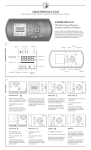
Setting economy mode
Setting economy start time
Setting economy duration
This mode allows you to
lower the temperature set
point of the spa by 20 °F
(11 °C) during a certain period
of the day.
The display will show ESxx,
“xx” representing the hour at
which the economy mode
will become active. Use the
Up or Down key to adjust
the hour. Use the Light key to
jump to the next parameter,
economy duration (Ed).
The display will show
Edxx, “xx” representing
the duration in hour of the
economy mode. Use the Up
or Down key to adjust the
hour. Use the Light key to
jump to the next parameter,
temperature unit.
When the Economy mode
is ON, the display will toggle
between the “Eco” message,
the time, and the water
temperature.
24 = continuous economy
The display will show EPx, “x”
representing the state of the
programmed economy
(0 = disabled, 1 = enabled).
Use the arrow keys to enable
or disable economy mode.
Use the Light key to jump to
the next parameter, economy
start time (ES).
It is not recommended to set
this to "0".
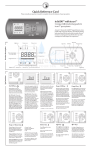
Setting temperature unit
Smart Winter Mode
Cooldown
Water temperature can be
displayed in either Fahrenheit
(°F) or Celsius (°C). The display will show F or C.
Our Smart Winter Mode
protects your system from
the cold by turning pumps on
several times a day to prevent
water from freezing in pipes.
After heating the spa water
to the desired Set Point, the
heater is turned off, but its
associated pump (Pump 1
low-speed or CP) remains
on for a predetermined
period of time to ensure
adequate cooling of the
heating element, prolonging
its useful life.
Use the Up or Down key
to change the setting. Use
the Light key to save all the
parameters.
The “SWM” indicator
lights up when freezing is
detected and flashes when
the purge is active.
Water temperature
regulation
Every 15 to 90 minutes
the pump will run to ensure
accurate water temperature
readings as well as avoid
heater activation in dry
conditions. After verifying
pump activation and taking
a water temperature reading
if required, the system
automatically turns the heater
on to reach and maintain
water temperature at
Set Point.
Indicator flashes when
taking water tempe-
rature reading.
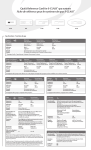
Troubleshooting section
Should an error occur, the display will show one of the following error messages toggled with the clock and the water temperature.
in.xe error codes
Description
Hr
An internal hardware error has been detected in the in.xe.
Contact dealer or service supplier.
HL
The system has shut the heater down because the temperature at the heater has reached 119°F (48°C).
Do not enter the water! Remove the spa cover and allow the water to cool down, then shut power off
and power your spa up again to reset the system.
AOH
Temperature inside the spa skirt is too high, causing the internal temperature in the in.xe
to increase above normal limits. Open skirt and wait until error clears.
FLO
The system does not detect any water flow while the primary pump is running.
Check and open water valves. Check for water level.
Clean filter. If the problem persists, call your dealer or service supplier.
Prr
A problem is detected with the temperature probe.
Call your dealer or service supplier.
OH
The water temperature in the spa has reached 108°F (42°C).
Do not enter the water! Remove the spa cover and allow the water to cool down to a lower temperature.
Call your dealer or service supplier if problem persists.
© Groupe Gecko Alliance Inc., 2013
All trademarks or registered trademarks
are the property of their respective owners.
Printed in Canada 09-2013
9919-101224
www.geckoalliance.com