1
Visual Product Tour
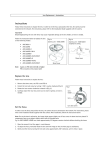
The front part of the appliance consists of following (from left to right):
Blue led display indicating if appliance is running or not
Yellow led display for disk I/O activity – SSD enabled appliances have no led shown
Gray power button – when running and pressed, it will initiate a shut down cycle. Press for 4
seconds and power will be interrupted (which may cause hard disk damage)
USB port to connect modem for end-user simulation
Printed June 3, 2010
- Rev 2.1 – PART DOC-MANUAL-APPLIANCE
3