1
User Manual
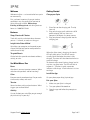
Choose How to Wear
Wear Spire in different ways according to your
outfit.
Find Out More
Want to learn more about Spire or need a little
help?
http://spire.io/troubleshoot
App Updates
You can double-tap the Spire stone at any time
to determine its state of charge. Five blinks in
response to your taps indicates a full charge; one
indicates it’s time for a top up.
Does Spire need to be against my skin to sense
breathing?
No. However, the “stone” side of the sensor
must be positioned in a way that it can detect
the movement of your torso as you breathe.
We recommend you clip it to the waistband of
your pants or to your bra for maximum
effectiveness. It may require some
experimentation to find the most comfortable
spot to wear it. Most users forget that it’s even
there once they’ve found their preferred spot.
As part of our commitment to delivering the
best customer experience possible, we’re
continuously updating our iOS app and device
firmware. We’ll let you know when particularly
exciting updates are released.
How do I troubleshoot Bluetooth connection issues?
To make sure you benefit from this stream of
improvements and bug-fixes, please ensure that
you keep iOS up-to-date (the current latest
version is iOS 8.3), and keep automatic app
updates enabled to ensure you receive the new
Spire applications as soon as possible. New
firmware updates will usually arrive at the same
time as app updates.
• The Spire stone’s battery is charged.
• Your phone’s version of iOS is up-to-date.
• The Spire app is running and updated to the
latest version.
Frequently Asked Questions
How do I charge Spire? How long does it take to
fully charge?
As you've probably discovered, Spire features
wireless charging technology and a cork-based
charging pad with USB-passthrough. To watch
the charging pad and its features in action,
checkout this video walkthrough: https://
youtu.be/5CBK5sIyix8
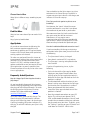
Spire takes about 2 hours to fully charge. The
stone’s charging LED continuously indicates
charge status when the stone is on the charger.
A pulsing, breathing LED pattern indicates it is
charging. A solid LED indicates your Spire is fully
charged.
Support Email: hello@spire.io
If you have trouble with the app maintaining a
connection to the Spire stone, please first ensure
the following:
If you’re still experiencing issues, try the
following:
• Quit and relaunch the Spire app by double
tapping on your phone’s home button, then
swiping up on the Spire application to quit it.
Relaunch the Spire app and check to see if the
problem is resolved.
• Turn Bluetooth off and then back on via your
phone’s setting menu. Return to the Spire app
and check to see if the problem is resolved.
• Power your phone off and then back on.
Launch the Spire app and check to see if the
problem is resolved.
• Reset the network connections on your iOS
device. This will reset your phone’s Wi-Fi,
VPN, and Bluetooth connections. You will need
to rejoin these networks and devices and know
the passwords to re-join them. To do this, go to
the “Settings” icon/app on your iOS device and
scroll down to “General”. While in the
Page 3 of 5