1
Visual Form Editor
5.2.2
Adding Items to Context Layout
Adding Items to Context Layout
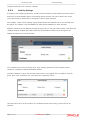
Items are added to contexts by dragging them from the source section and dropping to the form.
5.2.2.1 Adding Actions
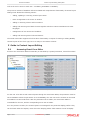
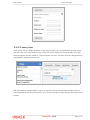
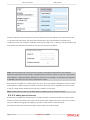
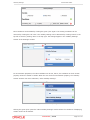
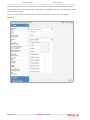
Actions (items from the 'Actions' subsection of the source section) can be added to the 'Actions' line at
the top of the screen. In this case they appear as buttons in the top bar in the Mobility Application.
Figure 7: Adding action to 'Actions' line
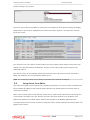
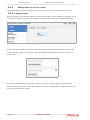
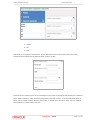
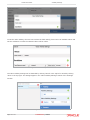
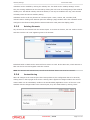
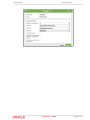
Actions can also be added to sections or tabs. Also, they can be dropped directly in the form builder.
In this case they create a section of their own and appear as buttons within a section or tab in the
actual context.
Figure 8: Actions added to section and tab
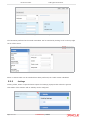
Each action can be added to the 'Actions' line only once. Also, the same action can be added to a
section of the context layout. If the action added to a section is added again to a different section, the
action is moved between sections.
Page 8 of 21
Confidential || Oracle