1
About JS DRAW 2: [In Sigma-Aldrich, JS Draw V3.1.1 is 2013 registered.]
JS Draw tool is a Chemical Drawing tool and it’s a product of Scilligence. The latest
version of JS Draw we are using is the JS Draw V3.1.1. JS Draw 2 tool plays an
important role in Sigma Aldrich, for Structure Search as well as for Chemical Draw
too.
Operations on JS DRAW 2: There are 3 possible operations through which we can operate JS Draw tool:1) Touchscreen / Touch pad Operation: - Using touchscreen user can swipe
the finger while using the touch pad user can perform various activities.
2) Mouse Operation: - Using Mouse user can perform various tasks.
Eg: - clicking on the various buttons or selecting a task etc etc.
3) Keyboard Operation: - Shortcuts to change the bond types, Heteroatoms
etc. can be performed by using the Keyboard.
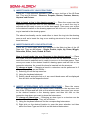
Major Functionalities of JS DRAW 2: 1) DRAW SHEET / DRAW SPACE : The draw sheet perform the task of drawing space where user can create,
copy or select a chemical bonding structure of their own wish.
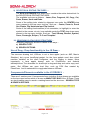
2) CONTEXT MENUS/ DROP DOWN MENUS : The Context / Drop down Menus can be performed by following operations:Mouse Operation: - Click the downward arrows/ drop down button under
each module or each icon of the top menu bar of the JS Draw tool.
Touch Screen Operation: - Swipe your finger downward on the respective
icons on the top menu bar and touch the downward arrow / drop down button
under the selective icons of the top menu bar.
The above operations can superimposed all the context menus.
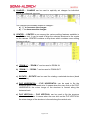
NOTE: - When the user selects one of the choices on a drop down menu, the image
on the main tool bar will be that of the last item selected & it is valid for the current
session, whenever you reload the page it will again take you to a new session draw
page. For example, selecting a Nitrogen image, will replace the Carbon image with a
Nitrogen image for the current session.
Page 3 of 17