1
Splash Drone
Quick Guide
Splash Drone
Quick Guide
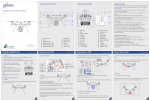
e. Battery
Put the battery inside the aircraft and install in the correct position. Ensure
it is tightend firmly before starting the aircraft
Power off aircraft. push throttle
joystick to the top neutral position
4. Remote Controller Joystick Calibration
5. Compass Calibration
Calibration situation
Calibration Situation
LED Flashing
1. Turn on remote controller. and power
off aircraft
2. Push throttle joystick to the top
neutral position. Power on aircraft. wait
for 5-10 seconds. blue LED intermittent
flashing
3. Pull throttle joystick to the lowest
neutral position. when the blue LED
stops flashing. and become normal
status. Joystick calibration done.
Compass Calibration Process
Horizontal Position Calibration
Quick Guide
Right Stick
Left
Turn Left
Down
Backward
Left
Right
Turn Left
Turn Right
Lock/Unlock II
10. Landing(Outdoor)
Backward
Down
9. Launch(Outdoor)
1. Place aircraft in an open area without buildings or trees, and keep 3-5
meters away from you and others
2. Ensure Remote controller connect aircraft well
3. Pull both sticks to their lowest neutral position corners as indicated in the
diagram on the right side to unlock
4. Slowly raise throttle stick to start flying
2
1
2
aircraft Tail
3
4
Notice:
8. Prepare
Notice:
Defult remote controller is Mode 2. if need mode 1. (Check user manual)
09
3
Start motor
(Lock/Unlock I)
Splash Drone
Lock/Unlock III
Quick Guide
Specification
Splash Drone & Battery & Transmitter Specification
Lock/Unlock IV
1. Slowly pull down throttle stick until the aircraft lands on the ground
2. Please keep throttle stick in the lowest position for over 5 seconds to
allow motors to lock after landing
3. After motor stop rotating, shut down aircraft power
4. Power off Remote controller
Notice:
1. Please land aircaft in an open area
2. If aircraft lands in Tree's or any other abnormal place, lock motors
immediately to avoid motor and ESC burnout.
3. After aircarft lands on the ground keep remote controller throttle
stick in lowest neutral position until motors stop rotating
Left stick/rise(Slow)
1. Power on aircraft, it will enter a self-check test. Please make sure
there is no movement on the aircraft in this period(6-10 Seconds).
2. Aircraft satellite indications: 6 satellites - 2 red LED flashing. 7
satellite - 1 red LED flashing and over 8 satellite no red LED flashing.
10
08
Splash Drone
Quick Guide
Lock/Unlock motor
Right
Turn Right
Up
Forward
07
We strongly recommend aircraft search over 6 satellites before starting
to fly.
3. In flying process do not stop motors for any reason.
Forward
LED Flashing
1. Put aircraft on horizontal
ground.
2. Pull Throttle stick in lowest
neutral position.
3. Quickly left and right move
the pitch joystick. till LED
become Red. Blue. Green
flashing
Put aircraft in horizontal
position; rotate in clockwise 2
circles till green LED slow
flashing
Splash Drone
Up
1
1. First time using the aircraft
2. Aircraft is not horizontal flying in the air.
3. Aircraft sideslips in ATTI mode with nil wind condition
4. Aircraft Crash Occurs
06
Left Stick
7. FPV monitor
Calibration situation
LED Flashing
2. Quickly move SWA fully up and
down 6-10 times till the green LED fast
flashing continuously.
Pull left joystick to the lowest neutral position, quickly left and right move
the pitch joystick. till LED become Red. Blue and Green flashing.
Turn aircraft head down.
rotation in clockwise 2
circles till green LED stops
flashing
Quickly move SWA fully up and
down Green LED fast flashing
1. Turn on remote controller and
aircraft. keep throttle at the lowest
neutral position.
Quick Guide
3. Put aircraft in a horizontal
position and continuous rotation in
clockwise 2 circles (720 degrees). till the
green LED slowly flashing.
4. Turn aircraft head down;
keep the vehicle vertical and
continuous rotation in clockwise 2
circles (720 degrees). till the green LED
stop flashing. and become normal
status
Quick Guide
6. Aircarft Horizontal Position Calibration
05
Splash Drone
Splash Drone
Quick Guide
Image
1. First time using the aircraft
2. More than 100 km from the last calibration.
3. Crash occurs
4. If aircraft parameters have been changed.
5. When aircraft shakes or has twitching motions
1. First time using the remote controller.
2. When the joystick is in middle position. but aircraft flies sideslip.
3. Remote controller crash occurs.
Joystick Calibration Process
Power on aircraft. pull throttle joystick
to the lowest neutral position till bule
LED flashing
Splash Drone
11
Splash Drone
Weight (Battery & Propellers Included)
Hover Accuracy
Max Yaw Angular Velocity
Max Tilt Angle
Max Ascent / Descent Speed
Max Flight Speed
WheelBase
Flight Time
Max Take-Off Weight
Operating Temperature
1750Kg
0. 2 m
30°
30°
4 m/s
6m/s (GPS Mode)
450mm
19 Mins ( 4500mah)
2. 5Kg
-10C°to 60C°
Battery
Battery Type
Capacity
Charging Environment Range
Charging Time
Lipo Battery
14. 8V 4500mah
0C°to 40C°
60minutes
Remote Controller
Weight
Operating Frequency
Communication Distance (Open Area)
Receiver Sensitivity (1%PER)
Working Current/Voltage
Battery
Channels
390g
2405 to 2475HMZ
1. 0 KM
-105dbm
120 mA
1. 5V AA*4
8 channels
12