1
Wireless Broadband Router User Manual
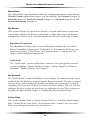
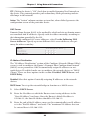
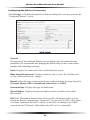
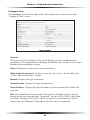
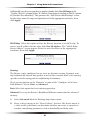
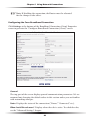
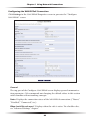
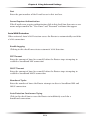
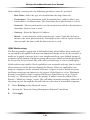
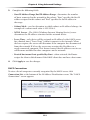
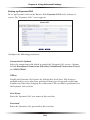
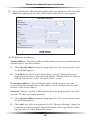
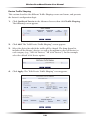
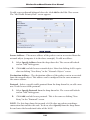
Network Displays the type of network to which the link is connected. Since this
is a broadband connection (connected to the Internet), “Broadband Connection
is displayed.
Connection Type Displays the type of connection. Since this is a coaxial connection, “Coax” is displayed.
Physical Address Displays the physical address of the network card used for the
network.
MTU MTU (Maximum Transmission Unit) specifies the largest packet size
permitted for Internet transmission. “Automatic” sets the MTU at 1500. Other
choices include “Automatic by DHCP,” which sets the MTU according to the
DHCP connection, and “Manual,” which allows the MTU to be set manually.
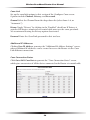
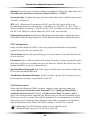
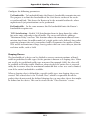
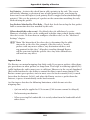
Coax Link
Check and configure the coax link connection in this section of the screen.
Channel Displays the channel frequency range of the coaxial connection. This
setting is not user configurable; it is for information only.
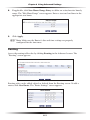
Privacy Toggle “Privacy” by clicking in the “Enabled” check box. If Privacy is
activated, all devices connected via coaxial cable must use the same password.
We recommend leaving the Privacy option deactivated.
Password Enter the Coax Link password here.
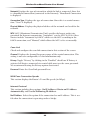
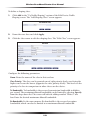
WAN Coax Connection Speeds
This section displays the Router’s Tx and Rx speeds (in Mbps).
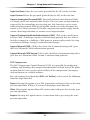
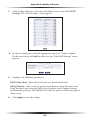
Internet Protocol
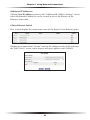
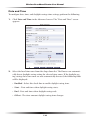
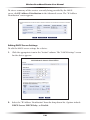
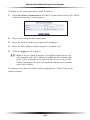
This section includes three options: No IP Address, Obtain an IP Address
Automatically, and Use the Following IP Address.
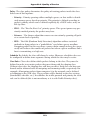
No IP Address Select this option if the connection has no IP address. This is useful when the connection is operating under a bridge.
64