1
Features at a glance:
•
Auto number files/folders
•
Remove, add and replace characters/words
•
Change the filename and extension, alter their case (upper, lower, title etc)
•
Apply a list of text to use as filenames (for example, a written track list)
•
Build your own unique filenames and/or extensions using templates
•
View a live preview of your alterations without any commitment
•
Undo last rename operation (per session)
•
Move files/folders up and down the list
•
Alter all or only the selected items in the list
•
Save options (as 'profiles') for different renaming locations/requirements
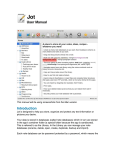
The application shows a live preview of the changes you make in real time, without actually
renaming the files. Once you're ready to rename, just click the "Rename" button. If you are
not happy with your changes, you can press the "Undo" button to restore the original
filenames (this is session-based only, so you cannot 'undo' after you close and restart the
program).
To rename only selected items in the list (that is, highlighted items), check the box “Rename
selected items only” at the bottom of the screen. You may also want to check “Update
preview for selected items only” (this is a separate option to allow you to alter one or more
items in preview rather than the whole lot).
This manual will use screenshots for the Mac version of the app.
NOTE: Please ensure you have show file extensions checked in Finder (Mac) / Explorer
(Windows).
Rename
2