1
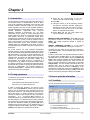
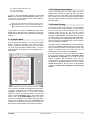
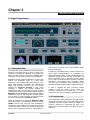
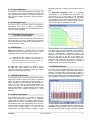
Table of contents
Chapter 1 – Installation ....................5
Chapter 3 – Measurement features 13
1.1 Description...............................................5
3.1 Signal Transmission..............................13
1.2 Rear pannel – conections .......................5
1.2.1 Power source..................................................5
1.2.2 Connecting the Antenna................................5
1.2.2.1 Calibration.........................................................5
3.1.1 Modulation Meter..........................................13
3.1.2 Field Intensity................................................13
3.1.3 Carrier Deviation...........................................14
3.1.4 Pilot Signal Level..........................................14
1.2.3 Modulation Meter Calibrator (optional).........5
3.1.5 Pilot Signal Frequency Error.......................14
1.2.5 Slow time (only models VA 16X).....................6
3.1.6 RDS signal.....................................................14
1.2.6 RDS analyzer (opcional VA-16X).....................6
3.1.7 MultiPath Distortion......................................14
1.2.7 RS 232..............................................................6
3.1.8 Spectrum Analyzer.......................................14
1.2.7.1 USB a RS-232 adapter ....................................6
3.1.9 FM Band Scanner.........................................15
1.3 VA-16X/P/LCD Models.............................6
1.4 Software Installation................................6
3.1.10 Spectral Zoom Analyzer............................15
3.1.11 3D Spectrum Analyzer................................15
1.4.1.1 USB to RS-232 adapter....................................6
3.2 Measurement of Audio Quality
Parameters...................................................17
1.4.2 IP CONNECTION.............................................7
3.2.1 L & R Audio Level (Stereo Audio Level).....17
1.4.2.1 Set up...............................................................7
1.4.2.2 Accessing from the LAN...................................8
1.4.2.3 Access from Internet.........................................9
3.2.2 L+R & L-R Audio Level.................................17
1.4.1 SERIAL port.....................................................6
1.5 Alarms Panel............................................9
1.5.1 vaPanel............................................................9
1.5.2 vaAlarm.........................................................10
1.5.3 Software Upgrades:...........................................10
3.2.3 L & R Noise Level.........................................17
3.2.4 Crosstalk.......................................................17
3.2.5 Effective Radiated Power.............................17
3.2.6 Stereo Phase Vector.....................................18
3.2.7 Frequency Response...................................18
3.2.8 Harmonic Distortion.....................................19
Chapter 2 – Operation ................... 11
2.1 Introduction............................................11
3.3 Measurement of the Operating
Parameters...................................................20
2.2 Tuning adjustment.................................11
Chapter 4 – Append LCD Models ... 21
2.3 How to print the information..................11
4.1 Models VA16/LCD & /P with LCD ..........21
2.3.1 Text Mode......................................................11
4.1.2 Menu Options................................................21
2.3.2 Graphic Mode................................................12
4.1.3 Tuning in a radio station..............................21
2.3.3 Printing the tuned station............................12
4.1.4 Other Options from the Menu......................21
2.3.4 Remote Printing............................................12
4.1.5 Information Visualization Displays.............21
4.2 Cristal calibration
(only units with option /CAL) ..........................22
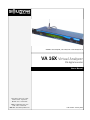
SOLIDYNE
VA 16 Virtual Monitor
3