1
IMPORTANT
Technical Notice- Transfer of ALGO® 3i screening records to Personal Computer (PC)
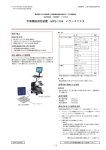
1. Double-click with the mouse cursor on the “Natus A3iDUS” icon on the PC desktop to start
the application. Your computer is now ready to receive screening data from the ALGO 3i
device. The following dialog box appears.
2. Power on the ALGO 3i device by sliding the power switch (if the device has not been
powered on already).
3. On the ALGO 3i screener, select the DataManagement function using the “Up/Down” arrow
button. Press the “OK” button.
4. Select the records to be transferred to PC. For instructions on selecting records, refer to the
ALGO 3i user manual: VII. Data Management: To select records.
5. Use the “Up/Down” button on the ALGO 3i device to select Export Selected Records or to
select Export All Records. Press the “OK” button. One of the following messages appears
to confirm exporting “Records stored: XXX, Export all of the records?” or “Records
Selected: YY, Export the selected records?” The XXX is the total number of records stored
and YY is the total number of records selected.
6. The following dialog box appears on the ALGO 3i device, allowing you to select the
appropriate ASCII text format (i.e., fixed width or tab-delimited) for data export:
Page 18 of 21
Natus Medical Inc. 1501 Industrial Road, San Carlos, CA 94070 USA
P/N 051177E
(650) 802-0400 Fax: (650) 802-0401