1
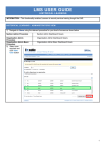
Adding a new Learner
You can also add a new learner using this screen via the New Learner button
this will
open the add new learner screen, from here you can fill in the Learners details and press save,
please ensure you have atleast filled in the details marked with a red astrix which are, ULR,
Username, Forename, Surename, Company and Password. Once you have done this you will need
to assign the Learner to a course, to do this click on the course tab.
User details screen, course tab shown
This will open the course screen, to assign a new course for the Learner pick from the drop box the
course you want and press the add button, this will assign the course you have chosen to the
Learner
Assigning a course to a learner
Page | 21
T: 0845 460 4440 E: info@smartassessor.com W: smartassessor.com