1
We used Dartware’s InterMapper to test SNMP probes with
consistent results in compatibility (support of SNMP1 and
SNMPv2c) and reporting of interface traffic, statistics and
switch description. Our testing relied on SNMP get requests
and queried the ifNumber value of the MIB 2 subset to report
the number of interfaces on the switch. We also ran a full
snmpwalk from a BSD Unix client to check out the information offered. Among the participants, only one switch—Netgear’s FS526T—doesn’t support SNMP.
Our ratings are based on ease of setup, feature set, ongoing
management, physical design, warranty and overall value of
the switch. Because this is an Affordable IT review, we rated
pricing as most important.
Hewlett-Packard Co. ProCurve Networking ProCurve
2626 The ProCurve 2626 had consistently solid scores,
_
keeping it at the head of the pack. At $699, the
ProCurve wasn’t the cheapest of the lot, but the lifetime warranty fills us with warm, fuzzy feelings. Out
of the box, the ProCurve’s excellent paper and CD-ROM manuals, clear installation guide, bundled serial cable and rackmounting hardware gave us everything we needed to get up
and running quickly, without any hassles whatsoever.
Console management is straightforward: We opened a telnet session, logged in with the default settings, switched to
the menu system and easily set up addressing. The Java-based
Web client is intuitive and provides excellent management
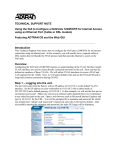
and testing tools over HTTP or HTTPS (see screen on page 1).
We installed our security certificate with no problems over the
Web client to get SSL in place.
Although SNMP community
names had to be set using the command-line menu system instead of
Editor’s
the Web client, the ProCurve played
Choice
nicely with our monitoring tools,
speaking SNMP1 and SNMPv2c. The switch returned interface
status and traffic stats, provided a self-description, and gave us
A
★
★
AFFORDABLE IT
LOW-END SWITCHES
If your hardware infrastructure isn’t strictly single-vendor and
you don’t have too many enterprise-oriented management needs,
inexpensive Ethernet switches have more to offer than you
might think. In this installment of Affordable IT, we explore
budget-friendly switches from Adtran, Allied Telesyn, Netgear,
ProCurve Networking by Hewlett-Packard and SMC Networks,
each with a retail price of less than $750.
We tested these switches for ease of setup and manageability, and determined which features meet enterprise needs.
We also evaluated SNMP support and even found an inexpensive
model that supports QoS. Finally, we discovered which have
user-friendly interfaces and which require a little more administrative finesse. HP’s ProCurve 2626 earned our Editor’s Choice
award for its superior management interface, reasonable pricing
and lifetime warranty.
You can find all our Affordable IT articles at
www.nwc.com/affordable_it.
verbose detail from an snmpwalk command. The ProCurve was
one of the quietest switches in the test and in the middle of the
pack for boot-up speed, passing packets about 43 seconds once
it got running. You can stack it with other ProCurve family
switches and/or uplink over the 1,000-Mbps or mini-GBIC
(Gigabit Interface Converter) ports to integrate into your
existing infrastructure.
ProCurve 2626. ProCurve Networking by HP
(800) 975-7684, (281) 370-0670. www.procurve.com
Netgear ProSafe 24 Port 10/100 L2 Managed Stackable
Switch (FSM726S) and ProSafe 24 Port 10/100 Smart
Switch (FS526T) The closest thing to a plug-and-play product
in this review, Netgear’s entry-level FS526T is a basic managed
switch that’s well-suited to a large home office or
+ small office setup. The FS526T lacks a console port,
and it uses a bundled Windows application,
“Smartwizard Discovery,” to set the base configuration. Although the setup application worked, we
initially managed the product using the default IP
listed in the documentation with a browser. In keeping with its
dollar-store theme, the FS526T doesn’t support SNMP. Although
this bargain box earned only a “C” grade, its ludicrously low
cost per port should make it an attractive option for anyone
looking for basic functionality from a small switch. As a bonus, it
has the fastest boot time of any product we tested, at less than
13 seconds. If you just need to wire up a small workgroup, the
FS526T will take care of your needs without any bells and whistles.
The FSM726S has a lot going for it with a front-mounted
console port, 24 10/100 ports, 2-Gbps copper ports and two
empty GBIC slots. The console interface includes a wellthought-out menu-based wizard for the initial setup. Its automated assist—the only one among the products tested—was a
welcome touch that more vendors should emulate. It’s especially helpful to novices setting up small networks.
With the base configuration in place, the Java-based GUI is
snazzy. It provides real-time graphic updates of port status and
offers easy access to system management, making it the best
management interface among the products we tested. Our
favorite GUI feature is the pop-up warning that cautioned
B
C
Netgear’s “nanny guard” provides warning prompts for
important and potentially dangerous configuration changes.