1
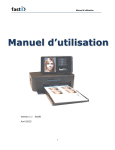
User Manual Chapter 1. Getting started fastID is a wireless passport photo system featuring a camera and a printer. That’s all you need to take official passport photos. To get started you need to: 1. Setup the printer 2. Setup the camera 3. Connect the camera to the printer 1.1 Setup the printer To setup the printer you need: the printer the printers paper cassette the power supply for the printer ribbon and paper First connect the power supply to the printer. Insert the adapter plug fully into the power inlet on SELPHY. Connect the power cord to the compact power adapter, and then plug the other end into a power outlet. Now switch on the printer. The on/off switch is the left button on the printer. We will loading paper and ribbon later in Chapter 2. 3