1
Contents
General information........................................................ 3
Requirements .................................................................................................................. 3
Introduction....................................................................................................................... 3
Legal notes........................................................................................................................ 4
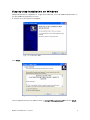
Step by step installation on Windows .................... . . . . . 5
Step by step installation on MAC OS X ................. . . . . . . 8
Running for the first time...........................................................................................10
Using ORBITVU EDITOR................................................ 11
Default folder structure................................................................................................ 11
Main window.................................................................................................................... 12
Working with functional windows...........................................................................12
Main window menu....................................................................................................... 13
Working with projects.................................................................................................. 14
Project settings...............................................................................................................................14
Save project.....................................................................................................................................14
Open an existing project.............................................................................................................14
ORBITVU EDITOR Preferences.................................................................................15
Camera functional window......................................................................................... 15
ORBITVU functional window.....................................................................................15
Preview functional window........................................................................................19
Selection...........................................................................................................................................20
Animation Preview.........................................................................................................................21
Edit functional window............................................................................................... 22
Sequence functional window.................................................................................... 23
Detailed description.....................................................................................................................23
Advanced control options.........................................................................................................24
Exporting into 360º web optimized file format.................................................25
Flash & GIF animation functional window...........................................................26
ORBITVU Presentation tab........................................................................................................27
ORBITVU Viewer options tab...................................................................................................28
ORBITVU VIEWER Options......................................................................................................29
Project Manager functional window......................................................................30
Filtering.............................................................................................................................................30
You can filter projects by categories, creation date or by server state. ...............30
Server State....................................................................................................................................30
Server state informs if the presentation has been already sent to server and if
its is already created or not. Available states:...................................................................30
Uploading presentations to ORBITVU SUN........................................................................31
Other Notes.................................................................................................................... 32
Water mark......................................................................................................................................32
ORBITVU EDITOR User's Manual
2