1
CubeSuite+ V1.01.00
APPENDIX A WINDOW REFERENCE
[Event area] ([E1][E20])
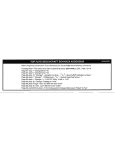
Hardware Break First
The type of break that can be set by a one click operation of the mouse is set as a hardware
breakpoint (this is reflected in the setting of the [First using type of breakpoint] property in the
[Break] [E1] [E20] category on the Property panel).
Software Break First
The type of break that can be set by a one click operation of the mouse is set as a software
breakpoint (this is reflected in the setting of the [First using type of breakpoint] property in the
[Break] [E1] [E20] category on the Property panel).
R20UT0769EJ0100 Rev.1.00
Oct 01, 2011
Page 261 of 429