1
3.7 Tour (Shortcut: TOUR)
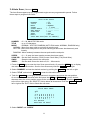
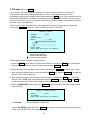
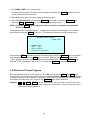
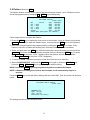
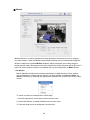
There are 4 programmable Tours. Each Tour consists of up to 42 Preset positions, Patterns,
Scans or other Tours (second-level). Using second-level Tours, it can be expanded to over 150
functions in a single Tour.
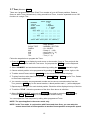
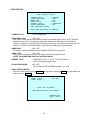
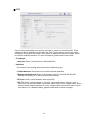
TOUR SETUP
NUMBER
: 01
TITLE
: T01
SCAN TYPE
: NORMAL
SPEED
: 5 STEP
DWELL
: -- SEC
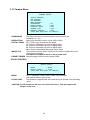
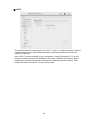
003 A04 --- --- --- --- ----- --- --- --- --- --- ----- --- P01 --- --- --- ----- T02 --- --- --- --- ----- --- --- --- --- --- ----- --- --- --- --- --- --SAVE AND EXIT(ESC TO CANCEL)
--SCAN TYPE
DWELL
003
A04
P01
T02
: blank position
: NORMAL, VECTOR
: 03 ~ 99 SEC
: Preset (1 ~ 120)
: Auto Scan (1 ~ 4)
: Pattern (1 ~ 4)
: Tour (1 ~ 4)
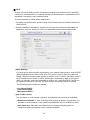
Follow the steps below to program the Tours:
1. Press the MENU key to display the main menu on the monitor. Scroll to Tour and push the
Joystick to the right to enter the Tour menu. Or just press the TOUR key on the keyboard.
2. Select “NUMBER” and set the desired number by pushing the Joystick to the left or right.
3. Choose a blank position to be programmed by pushing the Joystick up, down, right, or left.
4. To add a stored Preset, twist the Joystick then the stored Preset number displays.
5. To place functions other than Preset, press the TOUR, PTRN, or SCAN keys for Tour, Pattern
or Auto Scan respectively.
6. You can also overwrite the programmed number and to remove a stored number from the
Tour, press the HOME key on the stored number, a blank position mark (---) will be displayed.
7. Repeat step 2 through 6 for each desired position. Each title will be displayed on top of the line.
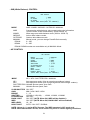
8. To edit the “TITLE”, follow the procedure of the Auto Scan above to edit titles.
9. Select “SAVE AND EXIT” and push the Joystick to the right or press the IRIS Open key.
Press the ESC or IRIS Close key to exit the program without saving.
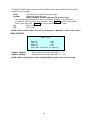
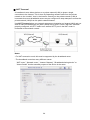
You can expand the Tour sequence by calling other programmed Tours.
NOTE: The speed applies in the vector mode only.
NOTE: In the Tour mode, in conjunction with Preset and Auto Scan, you can make the
camera travel from a Preset position to another Preset position at a specific speed.
15