1
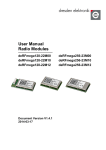
Wireless Light Control
Quick Start Guide
Hardware setup – wireless electronic ballasts FLS-PP lp
Attention: This hardware setup is based on the example of the FLS-PP lp, it could vary between other
wireless electronic ballasts from dresden elektronik. Please look at the respective product flyer to
connect your acquired FLS correctly.
To wire the FLS-PP lp use conductor with crosssection of 0.2–0.75 mm² (AWG24–18). Dismantle the
cable 6–7 mm.
Attention: Insert/remove fine-stranded conductors by
lightly pressing on push-button with a small
screwdriver or pen. Don’t use ferrules or tinned wires.
1. Connect FLS-PP lp with LED strip.
2. Connect LED Power Supply to both FLS-PP
lp. Initially the illuminants shine
monochromatic white.
FLS-PP lp
4
3
2
1
+
+
-
W
B
G
R
COM+
COM+
GND
+
-
R
G
B
W
12/24V DC
The combination of FLS-PP lp and illuminant will be referred to as ‘light’ below.
Setup web application
1. Open a web browser on the control unit (PC, tablet;
needs access to the local network).
2. Open the following address (Internet connection
necessary): http://www.dresden-elektronik.de/discover.
9
Click the gateway link there.
3. Log in with
User:
Password:
9
delight
delight
Create bookmark of gateway-link for ease of use.
dresden elektronik ingenieurtechnik gmbh
10-2015
Page 2 of 15