1
Appendix
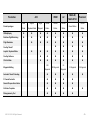
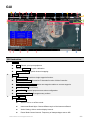
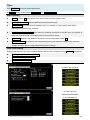
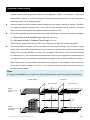
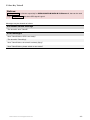
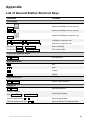
List of Ground Station Shortcut Keys
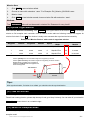
Operation
Function
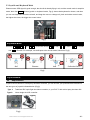
View Mode
Left Key+
↑, ↓, ←, →
Left Key+
Up/Down/Left/Right to move the map
Up/Down/Left/Right to move the map
Up/Down/Left/Right to rotate the map
Ctrl+Mouse Roll Up, Ctrl+Mouse Roll Down
Left/Right to rotate the map
Shift+Mouse Roll Up, Shift+Mouse Roll Down
Up/Down to rotate the map
Double click Left Key or Mouse Roll Up
Zoon In the Map
Double click Right Key or Mouse Roll Down
Zoon Out the Map
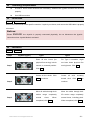
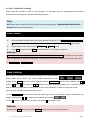
Joystick/Keyboard Mode
Ctrl+ Right Key
Start Simulator
Keyboard Mode
D,A
Roll
W,S
Pitch
↑, ↓
Throttle
←, →
Rudder
Keyboard Mode
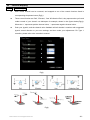
Blank+ Left Key
Set the Target Waypoint
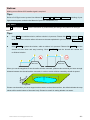
Waypoint
Ctrl+ Left Key
Add New Waypoint
Left click waypoint
Head Degree Setting
then Mouse Roll Up or Mouse Roll Down
Left click waypoint then ↑ or ↓
Head Degree Setting
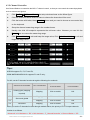
Left click waypoint then then Shift+P
Open the Relative Coordinates Editor
©2012-2015 DJI. All Rights Reserved.
- 42 -