1
8
Trimming a tree with the mouse
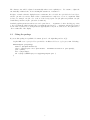
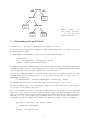
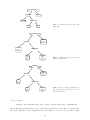
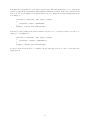
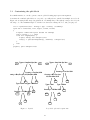
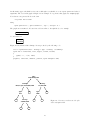
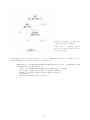
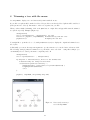
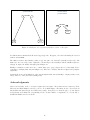
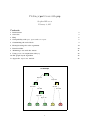
Set snip=TRUE to display a tree and interactively trim it with the mouse.
If you click on a split it will be marked as deleted. If you click on an already-deleted split it will be undeleted
(if its parent is not deleted). Information on the node is printed as you click.
When you have finished trimming, click on the QUIT button or right click, and prp will return the trimmed
tree (in the obj field). Example (Figure 18):
data(ptitanic)
tree <- rpart(survived~., data=ptitanic, cp=.012)
new.tree <- prp(tree, snip=TRUE)$obj # interactively trim the tree
prp(new.tree)
# display the new tree
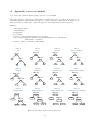
You might like to prefix the above code with par(mfrow=c(1,2)) to display the original and trimmed trees
side by side.
Additionally, you can use the snip.fun argument to specify a function to be invoked after each mouse click.
The following example prints the trimmed tree’s performance after each click — using this technique you
can manually select a desired performance-complexity trade-off.
data(ptitanic)
tree <- rpart(survived ~ ., data=ptitanic)
my.snip.fun <- function(tree) { # tree is the trimmed tree
# should really use indep test data here
cat("fraction predicted correctly: ",
sum(predict(tree, type="class") == ptitanic$survived) /
length(ptitanic$survived),
"\n")
}
prp(tree, snip=TRUE, snip.fun=my.snip.fun)
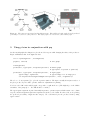
Figure 18: Interactively trimming a
tree with snip=TRUE.
21