1
9.6 Record response of DC motor to the step function
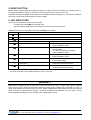
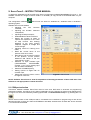
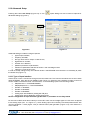
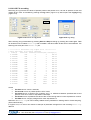
In order to adjust the parameters of PID controllers easier, ServoTune3 software provides the ability to
record the response of DC servo motor and attached mechanics to which is connected to a step function. In
addition, it is possible to set a desired number of steps.
Name
Description
Sampling
Recording
response
Steps
Performing a
desired
number of
steps without
recording the
response
Parameters
Min
Max
Number of
steps
1
32767*
Samples
Number of read
values
1
32767
Steps
Number of
steps
1
32767*
Name
Description
Steps
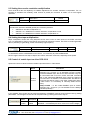
* Maximum value of Steps should be lower than set value of Error offset. Otherwise tracking error will appear
and DC servo motor will be disabled. Cancelling of tracking error is performed by pressing the RESET button
or by switching off the DCS-3010 drive power supply.
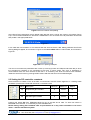
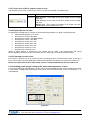
Activate the appropriate function is performed by pressing the Sample or Run.
Pressing the Sample button, or by pressing the function key F3, DC servo drive will handle the given number
of Steps. By setting the check box For/Rev for each pressing of Sample button DC motor will handle a
given number of step alternately in one and then the other direction of rotation.
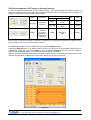
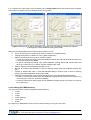
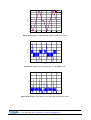
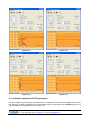
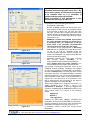
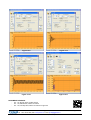
After the execution of Sample command will be drawn diagrams of DC motor response at step function, and
charts of the changes of voltage and current through the DC servo motor (Figure 9.5).
Figure 9.5
Prizma doo, Kumanovska str. 8, 34000 Kragujevac, Serbia
Tel. +381 34 330 200, web: www.prizma.rs e-mail: prodaja@prizma.rs
Doc: DCS-3010 man Ver.1.07, January 2015. © by PRIZMA
Page 13 of 24