1
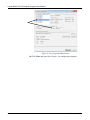
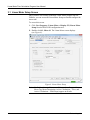
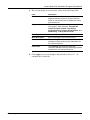
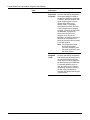
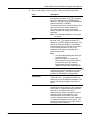
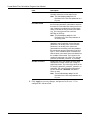
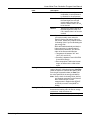
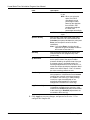
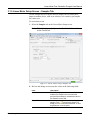
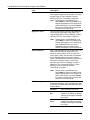
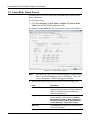
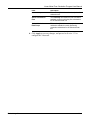
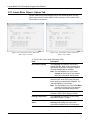
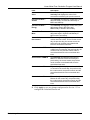
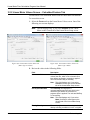
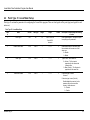
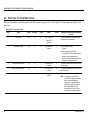
Linear Meter Flow Calculation Program User Manual 2. Review and change as necessary the values in the following fields: Field Uncorrected Volume Revised Aug-15 Description Sets the parameter for the uncorrected volume flow rate from the meter. Click to display the Select TLP dialog box you use to assign the parameter. The units for the uncorrected volume value are MCF/Day or kM3/Day. If the parameter for the uncorrected volume flow rate is from a PI point, select parameter 13 (EU). If the parameter for the uncorrected volume flow rate is an analog value, select that parameter. Note: This field displays only if the meter type is volume. Mass Sets the parameter for the mass flow rate from the meter. Click to display the Select TLP dialog box you use to assign the parameter. The units of the mass are Mlb/Day or Tonnes/Day. If the parameter for the mass flow rate is from a PI point, select parameter 13 (EU). If the parameter for the mass is an analog value, select that parameter. Note: This field displays only if the meter type is mass (Coriolis). When the program is used with the Micro Motion Coriolis Interface Module, this should be set to the module's forward mass flow rate, parameter 11 (Mass Flow Rate Fwd" of point type 65. Static Pressure Sets the parameter for the static pressure. Click to display the Select TLP dialog box you use to assign the parameter. The units for the static pressure are PSIG/PSIA or kPa(g)/kPa(a). Temperature Sets the parameter for the flowing temperature of the fluid. Click to display the Select TLP dialog box you use to assign the parameter. The units for the flowing temperature are Deg F or Deg C. Accumulator Sets the parameter for an accumulator containing the current amount of flow measured by the meter. It is assumed that this parameter rolls over at 1,000,000.0 and is in the appropriate units. When the program is used in conjunction with the Micro Motion Coriolis Interface Module, this should be set to the module’s ongoing mass accumulator, parameter 171 (Mass Accumulated) of point type 65. The program will automatically convert the mass to the required units in this case. 17