1
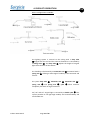
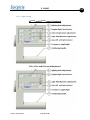
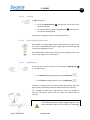
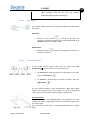
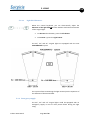
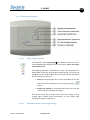
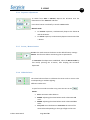
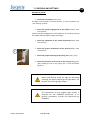
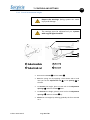
5. USING GB light intensity and can dry out the tissues. Adapt the lighting level accordingly. 5.1.3.4. Endomode: The “ENDO” mode provides you a lighting ambience for endoscopic operations. Activation: Keep the lower button pressed to decrease the minimum illumination and keep the button depressed for 3 seconds to enter the “ENDO” mode. Deactivation: Press the higher the minimum level. button, the lighting level returns to 5.1.3.5. Colortemperature: In the middle of the control panel, you can adjust the color temperature (Only for the X3COLOR and the X2COLOR). To decrease the color temperature (accentuates to the red), press the left button . To increase it (accentuates the white and blue), press the right button . You can choose between 4 color temperatures: 3500, 4000, 4500, 5000°K. This change allows you to enhance the contrast depending on the type of the operation and the surgeon’s preferences. Synchronization: If you have at least two SURGIRIS lights, the change of the color temperature of one surgical light causes an automatic change of it on the other’s lights. This is the only setting that is synchronized between the surgical lights. Edition 2012 March Page 21 of 59