1
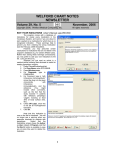
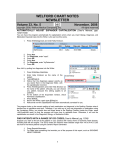
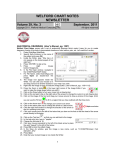
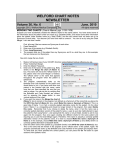
8. 9. On the Vital Signs Form, fill in a Temperature of 98.4F, a Pulse of 88 sitting, Blood Pressure of 140/72 sitting, Note that the most recent Height and Weight are filled in for you (assuming you have checked the Default to last weight and Default to last height Options). For Smoking, enter “non-smoker”. Press OK to both store this information in the Lab Book and insert it into the Writer. NEW @FUNCTIONS Version 6.2 has many new @functions. Let’s see how to use them. @AllEvents is replaced with all of the patient’s Events. This is handy if you record surgeries and procedures in Events and want to include them in your Templates (e.g. “Past Surgical History: @Events”). @BirthMonth is replaced with the numeric month of the year of the patient’s birthdate. (For example, if the patient were born in June, then @BirthMonth is replaced with "6"). You might include this in a Generic Report Generator Other field if you wanted to generate a report in which you sort your patients by their birth months. @BMI: This now is calculated from the Height and Weight Parsed from your note, if it appears there; otherwise, it comes from the most recent Height and Weight recorded in the Lab Book. To try this: 1. Open the Writer for Kelly Erickson. 2. Type in: "height: 64 inches, weight: 128#. “ 3. Note that the Parser Quick Summary now shows the Height and Weight ready to be added to the Lab Book (assuming you have set your Parser Options\Parser on? to Yes). 4. If you now type in the Writer: “@BMI”, this is replaced with the BMI calculated from the Height and Weight stated in your note and found in the Parser Quick Summary of “22.0 kg/m2” (even though you have not yet pressed OK to store these items in the Lab Book). : @LastMedication _Date and _Dose: @LastMedication_Date gives the date of the most recent dosing instruction for the medication. For example, @LastSimvastatin_Date is replaced with the date when the dose of simvastatin was last changed. @LastMedication_Dose is replaced with the most recent dosing instruction for the medication. For example, @LastSimvastatin_Dose is replaced with the current dose of simvastatin. These @functions are handy in a Generic Report Generator Other field, where you can then see for example which patients who are taking simvastatin are taking 80 mg per day. @LastProvisionalAssessment is replaced with the Assessment section of the most recent Provisional Note for the patient. This is handy if you tend to write Provisional Notes at the time of the patient visit, and then want to generate a Visit Summary which contains the Assessment portion of that Provisional Note. Place this @function in your Visit Summary Template. Similarly, @LastProvisionalPlan is replaced with the Plan portion of the most recent Provisional Note. Inserting this into your Visit Summary Template allows you to copy it into the Visit Summary. @MedsBeforeToday is replaced with a list of medications that the patient was taking yesterday. This is handy to include in a Visit Summary Template that you generate at the close of a visit to remind the patient what the patient was taking prior to this visit. @PatMedsBeforeToday performs the same task, except that it converts the dosing Instructions into plain English, and thus is better suited for Visit Summaries. For example, “10 mg po qam” is converted to "10 mg by mouth every morning". @MedsBeforeLastVisit is replaced with a list of medications that was taking prior to the last recorded visit. This is handy if you generate Visit Summaries after the date of the patient visit, and want to include in them the list of medications that the patient was taking prior to that visit. @PatMedsBeforeLastVisit performs the same task, except that it converts the dosing Instructions into plain English, and thus is better suited for Visit Summaries. 12