1
Contents
CHAPTER 1
Introduction ........................................................................................................................................ 5
Product Introduction ................................................................................................................................................ 5
Compliance ............................................................................................................................................................ 5
CHAPTER 2
Operations Overview .......................................................................................................................... 6
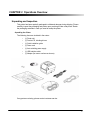
Unpacking and Inspection ...................................................................................................................................... 6
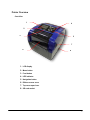
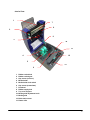
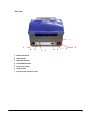
Printer Overview ..................................................................................................................................................... 7
CHAPTER 3
Setup ................................................................................................................................................. 10
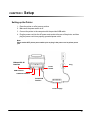
Setting Up the Printer ........................................................................................................................................... 10
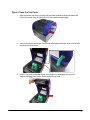
Open / Close the Top Cover.................................................................................................................................. 11
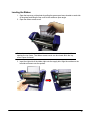
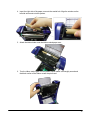
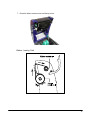
Loading the Ribbon ............................................................................................................................................... 12
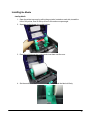
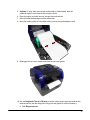
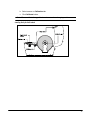
Loading the Media ................................................................................................................................................ 15
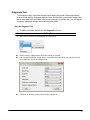
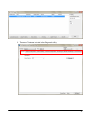
Diagnostic Tool ..................................................................................................................................................... 20
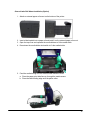
Install SD Memory Card ........................................................................................................................................ 21
CHAPTER 4
LED and Button Functions............................................................................................................... 26
LED Indicator ........................................................................................................................................................ 26
Regular Button Function ....................................................................................................................................... 26
Power on Utilities .................................................................................................................................................. 27
CHAPTER 5
LCD Menu Function ......................................................................................................................... 35
Enter the Menu ..................................................................................................................................................... 35
Main Menu Overview ........................................................................................................................................... 36
TSPL2 .................................................................................................................................................................. 37
ZPL2 ..................................................................................................................................................................... 39
Sensor .................................................................................................................................................................. 42
Interface ............................................................................................................................................................... 43
File Manager ........................................................................................................................................................ 46
Diagnostics ........................................................................................................................................................... 47
Advanced ............................................................................................................................................................. 51
Service ................................................................................................................................................................. 52
CHAPTER 6
Troubleshooting ............................................................................................................................... 53
LED Status ............................................................................................................................................................ 53
Print Quality .......................................................................................................................................................... 54
CHAPTER 7
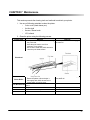
Maintenance ..................................................................................................................................... 55
BPP12 User Manual
iii