1
Schedule
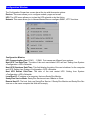
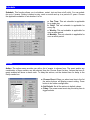
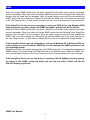
Schedule: This function allows you to shutdown, restart, test and turn on/off outlet. You can schedule up to 6 events. Setting is based on day, week or month and up to a period of 2 years. Choose
the applicable schedule to set whether it is for:
a. One Time: This set schedule is applicable
for a single day.
b. Daily: This set schedule is applicable for
every day
c. Weekly: This set schedule is applicable for
once a week period.
d. Monthly: This set schedule is applicable for
once a month period.
Action
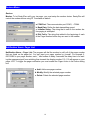
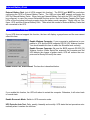
Action: The action menu provides you with a list of events to choose from. The event and/or any
combination of these actions can be selected from the Choose Event list box. Actions that are already enabled will show a check mark. To delay the actions, set the desired time for delay in the
Delay combo box.
a. Choose Event: When you select one item in the list
the action buttons will display current setting. Press
button to do further configuration.
b. Set Default: Set all the actions to default values.
c. Delay: The power event must stay the delay time to
trigger actions.
15