1
bypasses automatic wildcard expansion by your shell which
may, in turn, restrict your pattern search.
Digital Certificates
PKZIP allows you to digitally sign the individual files archived in a
.ZIP file (as well as the Central Directory) and subsequently
authenticate those files upon extraction. PKZIP signing
functionality is based on the X.509 certificate standard and is
therefore compatible with authenticity functionality in other
applications such as Microsoft's Internet Explorer. Signing a
.ZIP file allows you to detect whether a .ZIP file’s integrity has
been compromised. Before configuring PKZIP to sign files, you
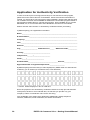
must first have a digital certificate to use for signing. These
certificates must be a minimum of 1024-bit RSA format. Digital
certificates are available from a variety of certificate authorities.
Visit our web site for information on obtaining a certificate:
http://www.pkware.com/catalog/certificate.htm
Installing the ROOT, CA, and SPC Certificates:
The first thing you must do, if you want to verify signatures or
sign .ZIP files is to install the ROOT and CA certificates. You
might also want to include the SPC certificates, if any. To
accomplish this, we suggest using the authenticode tools from
Microsoft on a Windows computer with Internet Explorer 4 or
better installed. If you do not already have these tools, Microsoft
has them on their website.
If you have Internet Explorer 4 installed, visit the following URL:
http://msdn.microsoft.com/MSDN-FILES/027/000/218/codesign.exe
If you have Internet Explorer 5 installed, visit this URL instead:
http://msdn.microsoft.com/MSDN-FILES/027/000/219/codesign.exe
If you have IE 6, you will need to download Microsoft’s ActiveX
SDK to obtain the authenticode tools.
14
PKZIP 6.0 Command Line – Getting Started Manual