1
257
USING ADOBE CONNECT 9
Administering Adobe Connect
Using learner reports
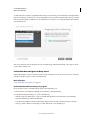
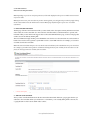
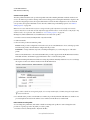
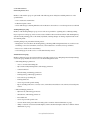
Learner reports show all course, virtual classroom, and curriculum activity for an individual or group. The individual
learner report enables you to see how a learner is progressing through assigned training. Detailed information in the
report includes number of assignments given to the learner, number completed, number in progress, and number not
started. The group learner report shows similar information, but for an entire group instead of a single learner.
Learner reports are useful because they show details about how individuals and groups are using your courses and
curriculums. You can determine if learners are taking and completing training assignments, how quickly they are
working, and what scores they are receiving.
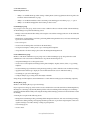
Create learner reports
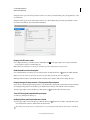
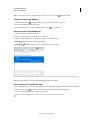
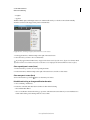
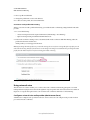
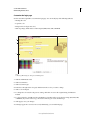
1 Log in to Adobe Connect Central and click Reports.
2 Click Learner.
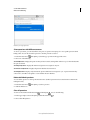
3 From the menu, select a Learner report type: Individual Learner or Group.
4 Select an individual learner or a group and click Next.
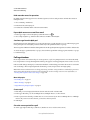
5 Click Specify Report Filters. (Optional) Enter a date range.
6 Click Add Or Remove Report Fields. Select and deselect the fields to display in the report.
7 Click Create Report.
8 (Optional) If you selected Individual Learner report in step 3, click the name of any learning object in the generated
report. Clicking a name creates a report about the specific learning object.
Read learner reports
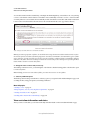
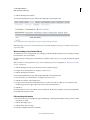
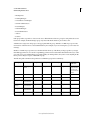
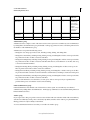
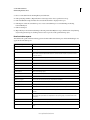
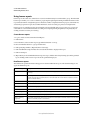
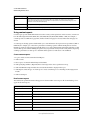
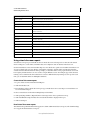
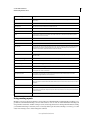
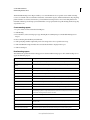
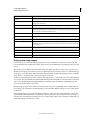
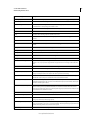
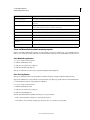
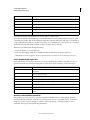
The table lists the specific information that appears in columns within learner reports. All column headings do not
appear in all learner reports.
Column heading
Description
Attempts
Number of times the learner tried to complete the learning object. (Attempts are tracked at the learning object
level only.)
Certificate
A system-generated number that proves the learner completed the course, virtual classroom, or curriculum and
provides the learner with a unique ID. (Course or curriculum status for a learner must be complete or passed to
receive a certificate number.)
Contents
If the learning object is a course, the course content type is listed, such as presentation or image.
Last access
For a curriculum, the date when any object within the curriculum was last accessed.
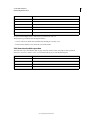
Learning object
Name of the learning object.
Number complete
Learners who completed the learning object.
Number in progress
Learners who are still in progress with the learning object.
Number not started
Learners who did not start the learning object.
Number of learning
assignments
Total number of assignments. If the learner is enrolled in a course outside a curriculum, and the course also exists
within the curriculum, the item is counted twice.
Score
Score achieved on learning objects attempted to date.
Last updated 8/28/2015