1
Telstra network services
Telstra network services
Call Waiting
3-Way Chat
Calling Number Display
If you have Call Waiting turned on the
earpiece will emit a beep tone to inform you
when there is a second incoming call.
The number or name of the second caller
will also be displayed if you have subscribed
to Telstra Calling Number Display and the
caller’s number is not blocked.
Please contact Telstra on 13 2200 for more
information on this service.
This service is available on most lines ready
for you to use! If you are already on a call,
you can add another person and then have a
3-Way Chat.
If you have subscribed to Telstra Calling
Number Display*, and provided the caller has
not blocked their number, the caller’s number
will be displayed.
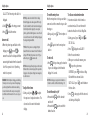
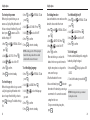
How to use 3-Way Chat
To put existing call on hold and make a new
call then to 3-Way Chat
1. Press
.
2.
Dial
the
second
phone number.
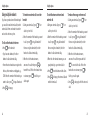
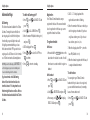
1. To answer the second call and put your first
3. Long press the
key.
key.
call on hold, long press the
2. To switch between both callers, long press
the
key.
3. Press
to hang up on the person you
are talking to and return to the caller on
hold.
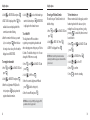
To split a 3-Way Chat or switch between
callers
1. Long press the
key.
NOTE If the caller’s number, together with the area
code, is stored in your phonebook along with a name,
the name will also be displayed.
If the telephone number is not available
for incoming calls, the handset will display
UNAVAILABLE. The calls list contains details
of missed and received calls. Details include
the date and time of the call. Entries are
displayed in chronological order with the
most recent call at the top of the list. When
the calls list is full, a new call replaces the
oldest in the list. The received and missed
calls log holds details of up to 50 calls.
If you receive more than one call from the
same number, only the most recent call is
kept in the calls list.
When you have missed calls (incoming calls
icon will
that you haven’t answered) the
be displayed in the display on all handsets
registered to the base.
If one handset is used to view the calls log,
the icon on the other handsets continue to
flash (Multipack user only).
Calls List
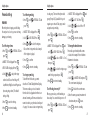
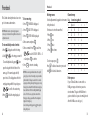
To view the calls list
1. Press
to enter CALL LOG option menu,
then press
to enter CALL LIST.
The most recent number or name if stored
in the phonebook is displayed. New calls
are marked with
icon flashing.
* Call features and charges may apply.
40
41