1
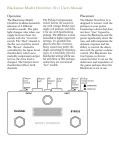
Boost mode: The buffer+ can provide
up to 30dB of clean boost . To activate
the boost, simply press the boost stomp
switch and use the boost knob to set
the level. A blue led will light to indicate
that you are in boost mode. Press the
stomp switch again to turn off the
boost.
Silent Tuning mode: The tuner out can
be used for silent tuning by holding the
boost stomp switch down for about 1
second. This will mute the signal being
sent from the amp out. A red LED will
light to indicate that you are in silent
tuning mode. Press the boost stomp
switch again to exit silent tuning mode.
The buffer+ will return to whichever
boost state (on or off) it was in, prior to
entering silent tuning mode.