1
HANDHELD CONTROLLER
USER MANUAL
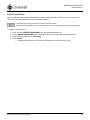
4.3.3 Standby Mode
Standby Mode turns off the output of the controlled product and waits for the next day-to-night transition. After this
transition, the controlled product enters its previous Autonomous Mode.
1. Press STANDBY
2. Press ENTER
Standby Mode can be interrupted at any time by another Handheld Controller command.
PAPI responds to Standby Mode the same as Lights Off Mode; it has to be commanded back on.
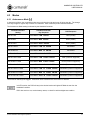
4.3.4 Lights Off Mode
Lights Off Mode turns off the output of the controlled product indefinitely until it receives a command to turn its
output on.
1. Press LIGHTS OFF
2. Press ENTER
Lights Off Mode can be interrupted at any time by another Handheld Controller command.
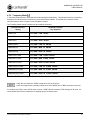
4.3.5 Emergency Mode
Emergency Mode sets all controlled products in all groups to an emergency flash:
1. Press EMERG 9 / ALL (EMERG 9 / ALL indicator turns on)
2. Press ENTER
Emergency Mode is equivalent to TEMP HIGH FLASH sent to all groups. After the controlled product’s preset
Temporary Mode activation time, the controlled products revert to their previous Autonomous Mode. To cancel
Emergency Mode before this preset time:
1. Press EMERG 9 / ALL (EMERG 9 / ALL indicator turns off)
2. Press ENTER
PAPI will not flash in Emergency Mode, but stay on steady.
© 2013 Carmanah Technologies Corporation
21