1
Attaché User's Manual
Installation and Calibration
Trademarks
IBM, PC and VGA are registered trademarks of International Business
Machines Corporation.
MMX is a registered trademark of Intel Corporation.
MS-DOS, Windows, Windows 95, Windows 98, Windows NT and
Microsoft are registered trademarks of Microsoft Corporation.
All other trademarks are the properties of their respective owners.
1. Insert the CD>select CD device>run Setup.
2. Follow the installation instructions.
3. Connect the Attaché with the PCMCIA interface card.
4. Insert the card into the PCMCIA slot on your notebook or PCMCIA
device on your desktop computer. (such as Antec Datachute)
5. Run PageManager or other applications which are TWAIN compliant.
Contents
- Installation and Calibration
- Pre-defined Setting
- Custom Setting
- Information Window
Your Windows98 has a built in program "Imaging" which is TWAIN
compliant. Go[Start]>[Programs]>[Accessories]>[Imaging] to run the
program.
6. Use the pull-down menu from [File]>Click [Select Source] and select
[Antec] as the device source.
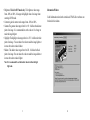
7. Click [Acquire] to enable Attaché. A window with the title "Pre-defined
Setting" will appear on your screen with the "Calibration Page" window
on top of it.
8. Insert the calibration sheet into the Attaché as instructed to set up the
calibration data. This is for the first time on your computer. To make
sure you can always get the best image, this "Calibration Page" will
appear periodically to remind you to calibrate your computer. You can
always click on "Custom Setting" button to enter the setting window
and click on "Calibrate" button to set up the calibration at any time
you want.
Note: Insert the paper to the side with arrow marks on the Attaché.
2
3