1
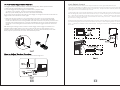
2. Make sure the control switch is in the neutral position and
the switch cable is disconnected from the screen. Please
press the learning hole at the right-end-cap for 3 seconds,
indicated by a red LED flash. Then press the back of the
remote control, if successful the red flash from the screen
will stop flashing and be on. Please refer to remote control
user manual for detailed instructions.
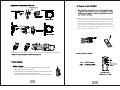
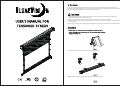
Adjust the screw counter-clockwise to loosen the mounting plate.(see figure A)
Press
1. Insert switch cord into the appropriate interface of the
right end of the screen casing
2. Push the button to the down position to extend the screen
Push the button up to retract the screen
To stop the screen, return the button to the middle position
to extend the screen