1
I
Oudie 3
Table of Contents
Foreword
0
Part I Introduction
2
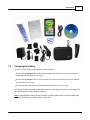
1 In the Box
................................................................................................................................... 2
2 Charging
...................................................................................................................................
the battery
3
Part II Getting started
5
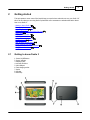
1 Getting...................................................................................................................................
to know Oudie 3
5
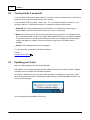
2 Turning...................................................................................................................................
Oudie 3 on and off
6
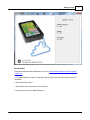
3 Updating
...................................................................................................................................
your Oudie
6
4 Running
...................................................................................................................................
Oudie 3 software for the first time
9
5 Using ...................................................................................................................................
vario
15
6 Copying
...................................................................................................................................
files to Oudie 3
17
7 Learning
...................................................................................................................................
to use Oudie 3
18
20
Part III How to
1 Using ...................................................................................................................................
Profiles
20
2 Set takeoff
...................................................................................................................................
altitude
22
3 Manage
...................................................................................................................................
airspace warnings
23
4 Using ...................................................................................................................................
Thermal Assistant
26
5 Entering
...................................................................................................................................
and flying the tasks
28
6 Flying...................................................................................................................................
with the FAI Triangle Assistant
44
7 Finish...................................................................................................................................
flight
47
8 Connect
...................................................................................................................................
to the internet
48
53
Part IV Map page
1 Cursor...................................................................................................................................
info
54
Waypoints
Airspace
.......................................................................................................................................................... 55
.......................................................................................................................................................... 56
2 Glider...................................................................................................................................
position
57
3 Arrow ...................................................................................................................................
towards the North
57
4 Wind vector
................................................................................................................................... 58
5 Vector...................................................................................................................................
map
58
6 Airspace
...................................................................................................................................
warning
59
7 Navboxes
................................................................................................................................... 59
8 Animation
...................................................................................................................................
speed
60
9 Command
...................................................................................................................................
bar
60
Part V Information page
62
© 2003 - 2014 ... Naviter d.o.o.