1
532
CHAPTER 14. CONTROL PARAMETERS
Defaults are taken (except for runtitle which must always be given) when the
value is an empty string, one blank or several blanks. All blanks are ignored
on the input line.
Consider the following example
conesA,,
conesA,R,
conesA,W,myciffile
In the example the first line initiates the run conesA without CIF, the second
one reads the setup from the file conesA.cifmodA, the third writes the CIF
data to the file myciffile.
Lines can be commented if the first character is a ‘!’. This replaces, for
compatibility with the CIF syntax below, the ‘#’ character used in previous
versions.
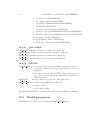
The procedure is used to combine multiple simulations within one run:
1. The program opens the file at the start.
2. The first line is read.
3. A simulation is started with the given title.
4. When the simulation ends, a next line is read giving a new title and a
next simulation initiates.
5. When there are no more lines to be read, the file is closed and the
program terminates.
14.2
Parameters for monitoring
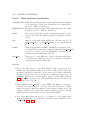
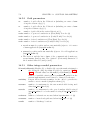
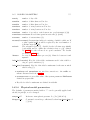
This section describes the parameters used to set up the monitoring and a
few other general parameters. They are defined in usrdef init params. The
routine is called by all processes.
14.2.1
Cold start
LOGICAL :: cold start If .TRUE., the program executes model initialisation
and finalisation, but does not enter the time loop (.FALSE.).
If defruns contains multiple lines, a cold start is performed for each simulation. The option is useful for
debugging.