1
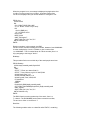
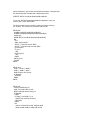
Here the window is created with a grey plane (the sixth argument to
gCREATE) gSAVEBIT automatically saves a window with
both black and grey plane to a file in the required format.
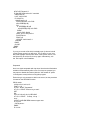
In the OPA itself use the ICON keyword, as
explained previously, to give the name of the bitmap file to use
here, "ICON "\opd\me"".
*** OPAs and the status window
If you use "STATUSWIN ON,2" to display
the status window, it shows the name used with the APP keyword.
"STATUSWIN ON,1" displays the smaller status window.
Important: The permanent status window is behind all other
OPL windows. In order to see it, you must use FONT (or
both SCREEN and gSETWIN) to reduce the size of the text
and graphics windows. You should ensure that your program does not
create windows over the top of it.
The name can be changed with the SETNAME
command. In general, an OPA should use SETNAME whenever it
changes files, or creates a new file.
*** Other TYPE options
You can add any of these numbers to the value you use with TYPE:
*) $8000 (-32768) stops the System screen's `New file' option
from working, as for the RunOpl icon (translated OPL modules).
*) $4000 (16384) stops the System screen from closing the OPA,
as for the Time icon. You should not use this without a very
good reason.
*) $100 (256) causes the System screen to terminate the OPA
(when Delete is pressed there) without sending a message to the OPA
to quit ("X"), as for the RunOpl icon again. This should be used only
for OPAs which have no data that could be lost by sudden termination.
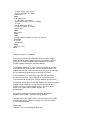
For example, use "TYPE $8001" for a type 1 OPA having the first
of the features above. (Note that "TYPE $8000+1" would fail
to translate as the translator cannot evaluate expressions for any
keywords between APP and ENDA).
-----------------------------------************ Tricks
*** The calculator memories
The calculator memories M0 to M9 are available as floating-point variables
in OPL. You might use them to allow OPL access to results from the