1
Introduction
Powder3D is a program for data reduction and publication quality visualisation aimed
specifically at large data sets collected in time resolved powder diffraction experiments. The
program is in ongoing development, so there shall be regular updates and extensions to the
present functionality. For comments or suggestions please contact r.dinnebier@fkf.mpg.de .
Getting Started
Installation
The latest version of Powder3D can be downloaded from http://www.fkf.mpg.de/xray. As
Powder3D is written in the programming language IDLTM you will need to install the IDL
virtual machine (IDL VMTM) before being able to run Powder3D.
Virtual machines for various platforms can be downloaded from the RSI website
http://www.rsinc.com/idlvm/ free of charge. When you have installed IDL VMTM unpack
Powder3D into a directory of your choice and double click on the file ‘Powder3D.sav’. After
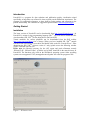
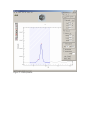
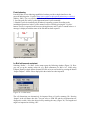
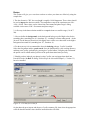
dismissing the IDL VMTM (current version 6.3 only) splash screen the following window
(Figure 1) should welcome you.
Please note: the libraries necessary for the AVI export and peak refinement, namely
‘IDLtoAVI.dll’, ‘IDLtoAVI.dlm’, ‘p3d.dlm’ and ‘p3d.dll’ should be in the same directory as
Powder3D. The functions only work on the Windows® operating system. Other operating
systems are not supported. UNC (unmapped network) paths will cause the program to fail.
Figure 1. : Welcome screen