1
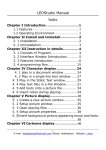
LED Studio
Index
Chapter I Introduction.............................. 1
1.1 Features ......................................... 1
1.2 Operating Environment ..................... 1
Chapter II Install and Uninstall ................ 2
2. 1 Installation..................................... 2
2. 2 Uninstallation ................................. 3
Chapter III Instruction in details.............. 4
3. 1 Consists of Program......................... 4
3. 2 Interface Window Introduction .......... 5
3. 3 Features introduction ....................... 6
3. 4 programming flow ..........................15
Chapter IV Character display .................. 24
4. 1 play in a document window ............24
4. 2 Play in a single line text window......27
4. 3 Play in the Static Text window...........29
4. 4 Play text files in a File Window ..........31
4. 5 Add texts onto a picture file..............34
4. 6 Insert notes during playing...............34
Chapter V Picture display ..................35
5. 1 Create a new picture window ............35
5. 2 Setup picture window ......................35
5. 3 Open playing files ...........................36
5. 4 Setup picture properties ..................38
5. 5Insert background picture,appearing music and texts.
..........................................................38
Chapter VI Cartoons display ...............40
6. 1 Create a new cartoon window ...........40
6. 2 Setup Cartoons window ...................40
1
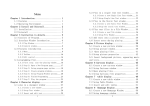
LED Studio
6. 3 Open playing files. ..........................41
6. 4 Setup Cartoons file properties...........43
Chapter VII table display.................44
7. 1 Create a new table window...............44
7. 2 Setup Table Window ........................44
7. 3 Insert and edit tables ......................45
Chapter VIII Homepage Display .........50
8. 1 Create a new Homepage Window. .....50
8. 2 Setup homepage window .................50
8. 3 Open playing files ...........................51
Chapter IX Database Display.............53
9. 1 Create a new Database Window ........53
9. 2 Setup database window ...................53
9. 3 Add Access Database.......................54
9. 4 Add ODBC driver database ...............58
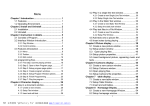
Chapter X…Date and Time……………………60
10. 1 Create Date/Time window ..............60
10. 2 Setup date/time window ................60
10. 3 Setup date and time ......................61
Chapter XI…External Program……………..64
11. 1 Create a new window.....................64
11. 2 Setup external program window ......64
11. 3 Open external program ..................65
Chapter XII…Timer Display………………….68
12. 1 Create a new window.....................68
12. 2 Setup the timer window .................68
12. 3 Time Setting.................................69
Chapter XIII…VCD/DVD display……………… 71
13. 1 Direct playing ...............................71
13. 2 Play in program ............................71
2