1
Control Centre
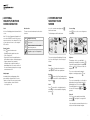
Postcode destination screen
Press
to call the Smartnav Control
Centre which is operational 24 hours a day
7 days a week.
Press
if you wish Smartnav to route you
to the postcode for your destination (Note you
must enter the complete postcode). The following
screen will appear:
You will hear the following message:
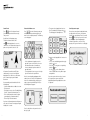
• The menu can be changed from characters
(A to Z) to numbers (0 to 9) by pressing
.
This will display the following menu:
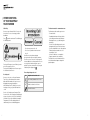
“Calling the Smartnav Control Centre”
and
will be displayed on the screen to
confirm that a call is being initiated; press the
phone icon if you wish to cancel the call.
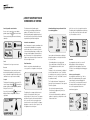
Cancelling a route request
Once you have entered your intended destination,
or requested the unit to contact the Smartnav
Control Centre, your Smartnav Touch Screen will
display
. Press this icon if you wish to cancel
the route request. You will be prompted to
confirm that you wish to cancel the call by
pressing either yes or no from the screen display:
The menu can be changed back to characters via
the
icon.
A Smartnav Personal Assistant (PA), who
simultaneously sees your current position
displayed on their control screen, will answer
your call and ask you for your intended
destination.
You can provide your destination details in the
following ways:
• Use the alphanumeric keypad to enter the
postcode. As you enter the details, the cursor
will auto-advance and select numbers or
letters according to its position and the UK
postcode format.
• To enter alphabetic characters, press the single
key which contains the required letter.
• Correct errors made during postcode entry by
using the
icon.
• Cancel the route entry process at anytime by
using the
icon.
• Use the
icon to confirm you have
entered the postcode correctly and to request
route guidance.
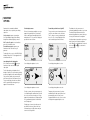
After this, an enlarged key pad appears which
enables you to select which of the alphanumeric
characters contained within the single key you
require e.g. pressing the M/N/O key will cause
the following menu to appear:
If you enter a postcode incorrectly, or it cannot
be recognised, an error message will be
displayed and you will be prompted to re-enter
the postcode.
• A house number and street address in a town.
• OR a postcode.
• OR a point of interest such as ‘Reading Railway
Station’, ‘Terminal 4 Heathrow Airport’, etc.
• OR a stored Favourite destination set up on
your web page (see Smartnav website).
• OR one of your 5 last destinations.
If you have the Smartnav button installed you can
also contact the Control Centre by pressing and
holding it for 2 seconds.
Press the desired letter that you wish to select
directly (e.g. M).
8
9