1
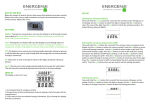
Quick Start If you don’t want to read the full manual! Connect your Gateway to your home router by plugging one end of the Ethernet cable into the socket on the Gateway and the other end into one of your router’s free Ethernet sockets. Plug the PSU into an adjacent free mains wall socket and switch on. Plug the microUSB cable into the Gateway and the PSU. The gateway should now be powered and connect automatically via your router to the internet. This is indicated by the light on the front illuminating orange then steady green. It may take up to 20 seconds for this to happen. The light will also blip briefly red as message traffic is being exchanged. Manage your Gateway and MiHome devices using one of the methods as follows: 3