1
LARSA 4D User’s Manual
Undo/Redo
Undo/Redo allows the user to reverse a change to the project — perhaps undoing an accidental change
— and then put it back again.
Undo or Redo Actions
In LARSA 4D nearly all operations can be undone. Undo/Redo works seamlessly with the spreadsheets,
graphical editing tools, and Explorers. There is no limit to the "Undo History," allowing you to undo
all operations in the open project since the current LARSA session began. Undo/Redo data is not saved
with the project, so it lasts only as long as LARSA 4D is running.
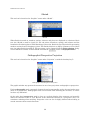
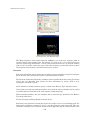
The Undo and Redo commands are on the Modify and Edit menus. (Only one of the two menus is
visible at a time. The Modify menu is available for the Graphics windows, and the Edit menu is
available for the spreadsheet windows.)
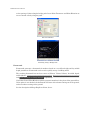
When the Undo and Redo commands are available, a small description of the action that can be undone
appears in the menu item. The Undo command, for instance, might read "Undo Add Joint," indicating
the last operation that can be undone is adding a new joint. Choosing Undo will delete that joint, as
if it had never been created.
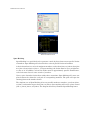
Redo puts back the last operation that was undone. As in the last example, Redo would recreate that
joint with the properties that it had before Undo removed it.
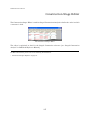
Undo/Redo data is stored in a temporary file. The size of that file is displayed in the status bar. Only
on very large models does the Undo/Redo file grow beyond a megabyte.
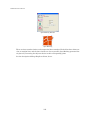
A small number of operations cannot be undone, including applying a unit conversion to the entire
project. After such operations, all undo/redo data is cleared. Earlier operations can no longer be undone.
The user is prompted to confirm these operations and is warned of the consequences.
91