1
•
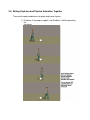
Prop can be joined to create more complex shapes. Fixed (immoveable),
ball and hinge joints are supported. Parent a prop to another prop to join
them together. Remember to click the "Reparent" button prior to rerunning the simulation.
1.3. What’s New in PoserPhysics 2012 Service Release 1
New Features:
•
•
•
•
•
•
•
•
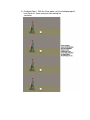
Universal Joints have been added. The UniversalX is like a ball joint, but
with no SPIN/TWIST in the X Axis direction (as the props are positioned in
frame 1). UniversalY has no spin in the Y direction, and UniversalZ has
no spin in the Z direction. Universal joints are great for simulating things
like chain links.
The system will now ignore Invisible props (since this adversely effect the
simulation).
You can now join a prop to the GROUND for fixed joints, and other joints
where the anchor point is "This Prop Origin” or “This Prop Endpoint”.
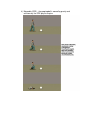
Added joint rotations around the Child origin and endpoint, and also the
midpoint between the parent (Join To Prop) endpoint a child (This Prop)
origin. The later is the most useful for linked chains and rope. The
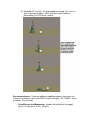
original "Origin" and "Endpoint" selections have changed to "Join To Prop
Origin" and "Join To Prop Endpoint". Use the "This Prop Origin" or "This
Prop Endpoint" for prop balljoints to the GROUND so the prop rotates on
it's own Origin or Endpoint point. See
http://poserphysics.blogspot.com.au/2012/07/joint-anchors-tutorial.html for
details.
Added Cylinders. Use the PoserCylinder to add cylinder elements to your
scene. IMPORTANT: The ODE does not support Cylinder to Capsule
or Cylinder to Cylinder collisions. So the PhysicsCylinder will only
bounce (collide) off boxes, spheres and static trimesh shapes. The
cylinder has been included for use as car wheels, where cylinder to
cylinder and cylinder to capsule collisions are generally not required.
Added Damping to the simulation, so that objects do not spin or roll
forever. In the unlikely event you need to change the default settings,
change the PoserPhysics-LinearDamping and PoserPhysics>AngularDamping parameters on the UNIVERSE actor.
For joining props, you NO LONGER USE THE POSER PARENTING
system. Instead, simply select the prop to join the current prop to in the
"Join To" combobox in the Prop/Figure Settings tab of the PoserPhysics
window. Any parented prop in your scene will be unparented when the
simulation is run.
If a prop has other prop joined to it, you can click the “Create Group”
button to make a Poser Grouping prop with the current prop, and all props
joined to this prop in the group. You can then scale, rotate and move the
group as required.